16-Pearl
August 27, 2020
Solved

Validator for dropdown widget

  • August 27, 2020
  • 2 replies
  • 1252 views

I'm unable to get a validator for dropdown widget to work.  The validator is supposed to check if a selection was made from a dropdown widget.  I've tried the following in the validator but it still goes through.  How can I get this validator to work?  The validator input is bound to Selected Row of the service that populates the dropdown.


(Type !== "") && (Type !== null);
//(Type == "New Functionality") || (Type == "Bug Report") || (Type == "Other");
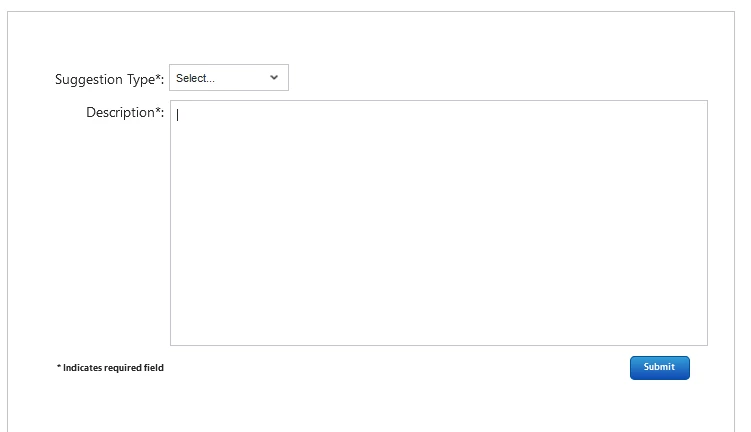
 

Thingworx - 2020-08-27 - Suggestion Box.PNG

Best answer by jensc

Hello,


If you are still having issues with this, and for anyone finding this post, you could try using the actual selected value in your dropdown instead.

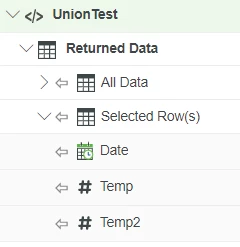
Either by using the selected row from your service service:

jensc_0-1675683270263.png

But using the actual variable of the row instead of the infotable.

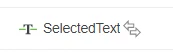
Or use the selected text of the dropdown widget:

jensc_1-1675683332827.png


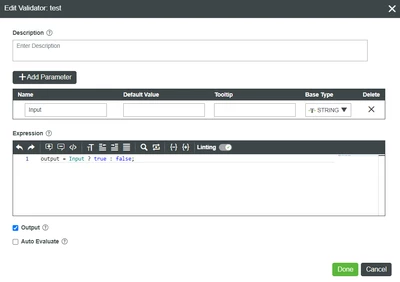
Drag one or the other to your validator widget and you can write the validator like this:

jensc_2-1675683409498.png

output = Input ? true : false;


This should give you what you want. 

It will return true if "Input" has a value and false if there is no value, like null, undefined, empty string etc.


Regards,

Jens

2 replies

jensc17-PeridotAnswer
17-Peridot
February 6, 2023

Hello,


If you are still having issues with this, and for anyone finding this post, you could try using the actual selected value in your dropdown instead.

Either by using the selected row from your service service:

jensc_0-1675683270263.png

But using the actual variable of the row instead of the infotable.

Or use the selected text of the dropdown widget:

jensc_1-1675683332827.png


Drag one or the other to your validator widget and you can write the validator like this:

jensc_2-1675683409498.png

output = Input ? true : false;


This should give you what you want. 

It will return true if "Input" has a value and false if there is no value, like null, undefined, empty string etc.


Regards,

Jens

13-Aquamarine
February 8, 2023

Willie,


Here is a line from one of my validation routines.  The output of the Selected Row of the query is a String Value, but I have used IDs (INT) before with no problems.  Here are the lines in the validation JS.  I do a check for a NULL value - OR - the data's length because sometimes we have had issues validating only against NULLs.  


     else if (FailCode == null || FailCode.length == 0)

I hope this helps you.