

16-Pearl
May 6, 2022
Solved

3D Panel bug: buttons change position

  • May 6, 2022
  • 3 replies
  • 1968 views

Hi,


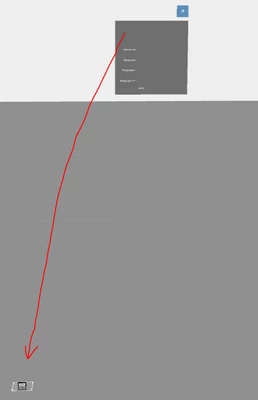
I discovered some strange behavior of the 3D-image-buttons in a 3D-Panel. In vuforia studio, they randomly go to position 0,0,0 in the canvas. The position values though, take the same value as the 3D-Panel, just rounded. After repositioning them to the correct positions, it might work first time after saving, but after several times of saving they all randomly change position again.

I think the 3D-Panel is available for half a year now but is still with bugs. This is not good ☹
whity_0-1651815646647.png


Best answer by AlexK

I've had this happen a lot. If you open it and it is not correct, do not press save, just close the Experience.  Reload it and it usually is fine, maybe restart Vuforia Studio.

3 replies

5-Regular Member
May 9, 2022

Hello @whity ,


Can you share this project file for reference ?.

It seems to be an project specific issue to me, as i am not able to reproduce this error at my end

18-Opal
May 9, 2022

I have noticed this, but only with updated projects (projects developed in previous versions of Vuforia Studio that were loaded in the current version and updated). From what I can tell, the button labels are still positioned correctly in published experiences, so I think (hope!) this only affects the browser preview.

AlexK15-MoonstoneAnswer
15-Moonstone
May 11, 2022

I've had this happen a lot. If you open it and it is not correct, do not press save, just close the Experience.  Reload it and it usually is fine, maybe restart Vuforia Studio.

18-Opal
May 11, 2022

That's good to know, thanks for the tip!