5-Regular Member
Mar 27, 2018 7:29 AM UTC
Solved

404 error when calling thing's services from mobile

Hi, 

As you can find below, I got 404 error when I called thing's services from mobile. 
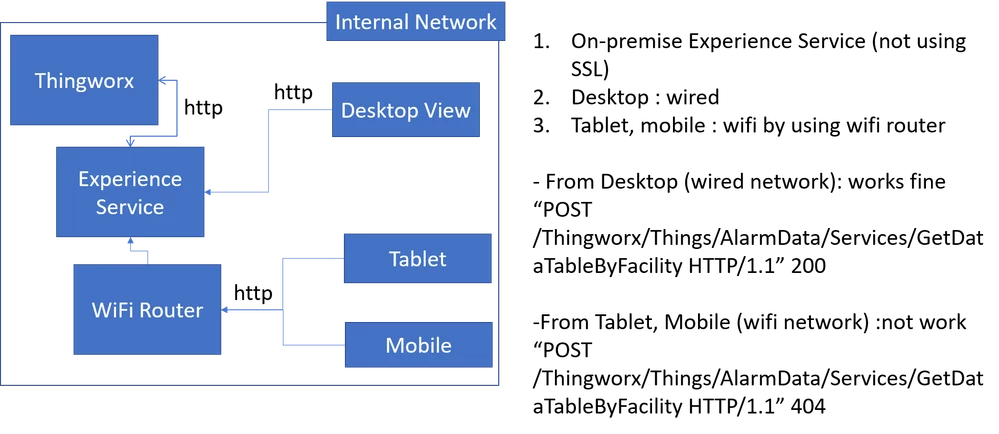
404 error.png

I installed Experience Service on-premise and not using SSL. 

I can get data from thingworx core to call services of things by using below url.

(http://xxx:2019/ExperienceService/content/projects/myproject/index-desktop.html)


But when I used mobile/tablet(iOS, Android) with thingview application or chrome browser, I got 404 error in Experience Service server log.


Since I can find logs in Experience Service server, I think the connection between Experience and mobile is ok but there is something wrong between Experience Service and thingworx. 


What am I missing?? configuration or anything else??
ytellaAnswer
17-Peridot
Mar 27, 2018 3:01 PM UTC

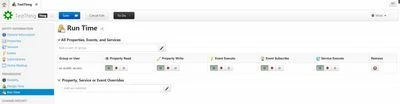
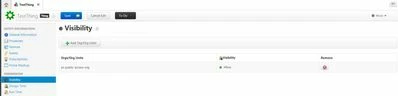
If you choose Public Access type, then we need to assign the visibility and run time permissions for the es-public access user in ThingWorx composer to that particular Thing. For example, In ThingWorx composer, open the required Thing -> click on Visibility and add es-public-access-org  -> Click on Run Time and add es-public-access user. 

visibility.JPGRunTime.JPG

Click on save and test the experience in ThingWorx view app. Let me know if it helps to resolve the issue.

5 replies

17-Peridot
Mar 27, 2018 1:42 PM UTC

Hi,
Have you configured the ES URL in the ThingWorx view App settings?


Translate
dwie5-Regular MemberAuthor
5-Regular Member
Mar 27, 2018 1:54 PM UTC

@ytella yes, I did. that is why I can get the logs in ES server. (404 error)

And for your information I can see the 3D model in thingview but I cannot retrieve any data from thing's service. 

Translate
17-Peridot
Mar 27, 2018 2:04 PM UTC

Could you please confirm Access type of the experience? To verify this, click on the Info section in ThingWorx Studio and review the Access field as shown below:Info.JPG

Translate