

1-Visitor
May 7, 2018
Question

Adjusting Scale of a model with events

  • May 7, 2018
  • 2 replies
  • 2436 views

Im attempting to scale the model by 0.1 with voice commands.

If I run "Decrease Engine Size" Voice command then "Increase Engine Size"  it works fine. 

reload and then

If I say command "Increase Engine Size" first it does not work and then "Decrease Engine Size" command doesn't work either. 

Any idea what I'm doing wrong?


Is there a better work flow?
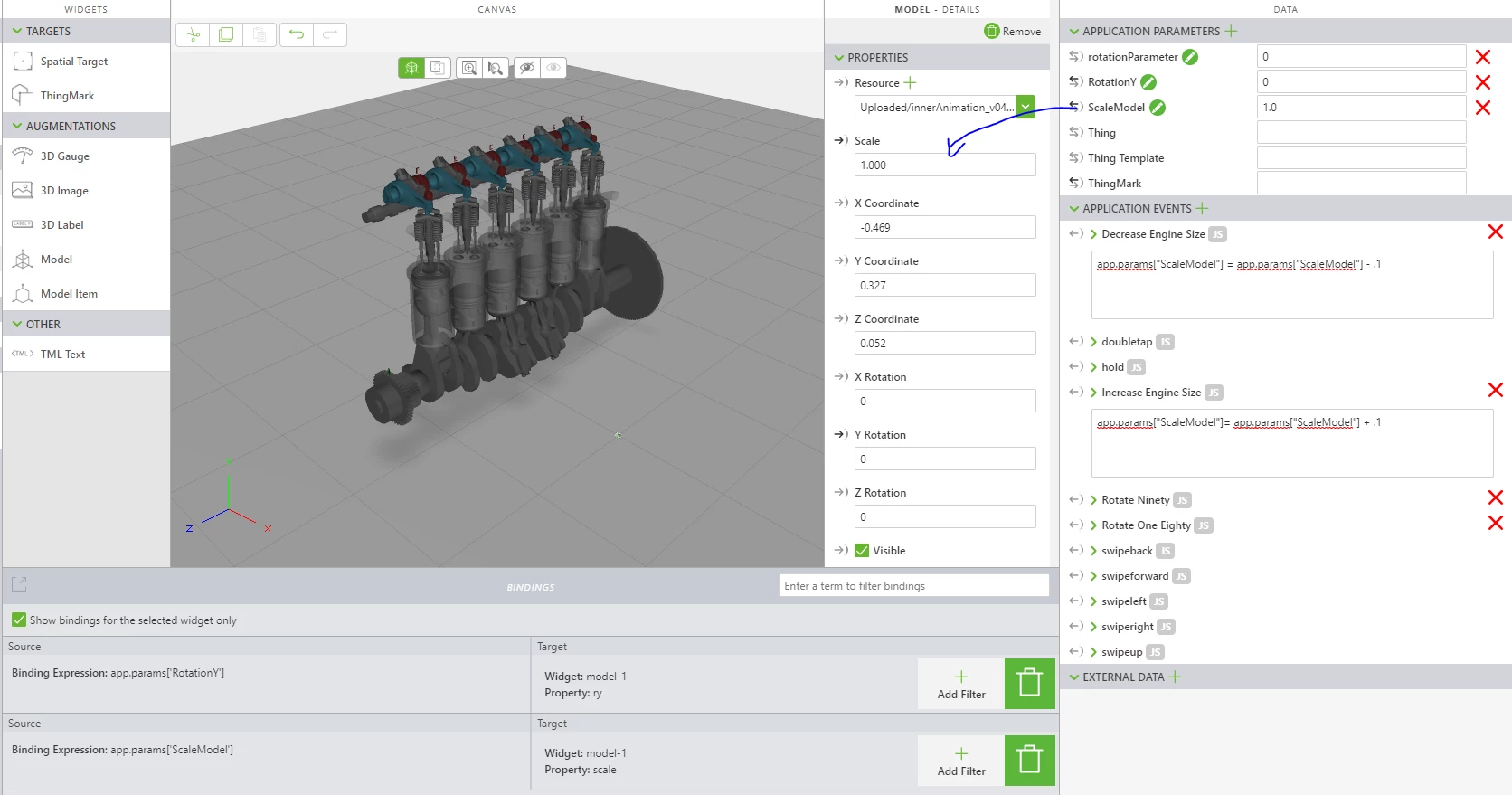
scaling.PNG

2 replies

21-Topaz I
May 9, 2018

I have gone through few test scenarios and ran into the same thing. I need to look into this a bit further. 

5-Regular Member
May 10, 2018

Hi,

Unfortunately, I don't have a HoloLens to test your example. Using only the preview it worked, but I understand that it is not working on the device. 

An alternative that you might try is:

Edit the <<ViewName.js>> and paste the following code:


$scope.SizeIncrease = function () {
 $scope.view.wdg['model-1']['scale'] = $scope.view.wdg['model-1']['scale'] + .1;
  $scope.$applyAsync(); } $scope.SizeDecrease = function () { $scope.view.wdg['model-1']['scale'] = $scope.view.wdg['model-1']['scale'] - .1;
  $scope.$applyAsync(); }

*** "model-1" should be replaced with the name of your model.


On the Decrease Engine Size JS event:

    viewCtrl.SizeDecrease();


On the Increase Engine Size JS event:
    viewCtrl.SizeDecrease();

With this method, you would not use the ScaleModel parameter and it's binding. 

I hope it helps! 

All the best,

Ricardo

16-Pearl
April 16, 2019

These steps worked for me...  (Edit from my original post).  After further testing, I'm running into the same issue where I have to say "Decrease Scale" prior to saying "Increase Scale".  Be nice if a solution was found for this little bug. 


18-Opal
May 3, 2019

I wonder if maybe this is a variable type issue, where in some cases it interprets the parameter as a string rather than a number. Maybe give this a try:

$scope.SizeIncrease = function () {
 $scope.view.wdg['model-1']['scale'] = parseFloat($scope.view.wdg['model-1']['scale']) + 0.1;
 $scope.$applyAsync();
}
$scope.SizeDecrease = function () {
 $scope.view.wdg['model-1']['scale'] = parseFloat($scope.view.wdg['model-1']['scale']) - 0.1;
 $scope.$applyAsync();
}