1-Visitor
February 23, 2017
Question

Cannot publish my project.

  • February 23, 2017
  • 3 replies
  • 6552 views

Hello,


I faced some problem when I publish my project.

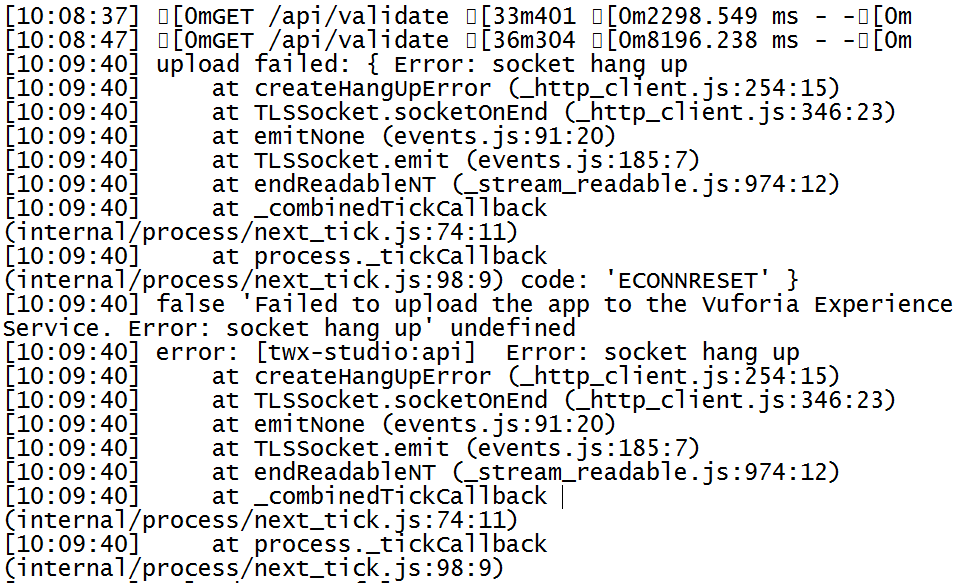
Sometime the log showed this.
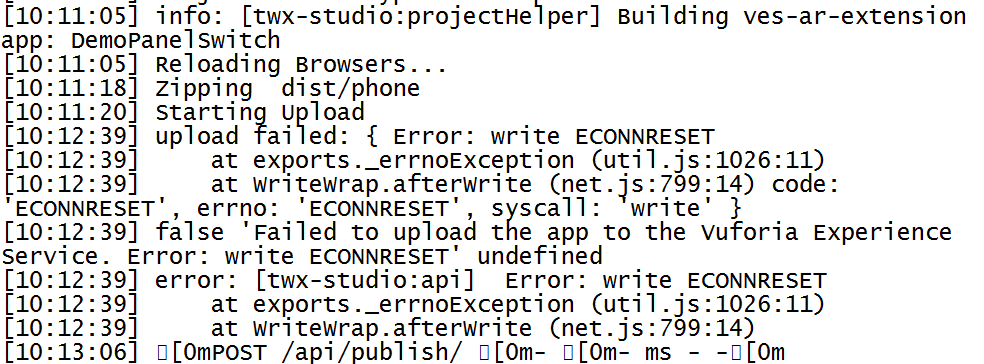
3.PNG

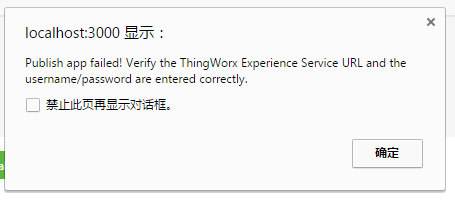
Sometime it showed this.

5.PNG

And most time, it just showed these three lines.

4.PNG

The result is the same.

1.PNG

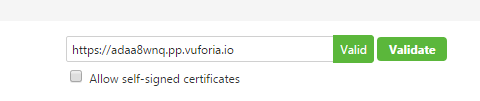
But I have tried the link.

2.PNG


Anyone can resolve my problem?


P.S. I'm in Shanghai. Is it due to the Great Firewall of China?


Thanks very much.

3 replies

20-Turquoise
February 23, 2017

Could you please take a look at this article and see if it's suggested troubleshooting resolves the problem? Sorry about the inconvenience this issue is causing you, we will work on resolving it asap. Perhaps our vuforia expert, giri, could provide more input.

P.S. Our Skynet travels above all walls 🙂 Although you might want to check your firewall configuration to ensure it allows the traffic properly/not blocking the port.

汐xie1-VisitorAuthor
1-Visitor
February 23, 2017

Hi Polina,

Thank you for your information.

Could you provide the article you suggested for me? So I can refer it. Also How can I contact giri? Could you provide the ID? so I can contact him/her in community.

Thank you very much.

1-Visitor
February 23, 2017

Hi,xi xie

     This problem I have encountered can add my QQ: 365782308 to see if it can help you

5-Regular Member
February 23, 2017

Hi xi xie​, I am working internally to analyse this issue. I have also requested a Restart of your ThingWorx instance connected to your Experience service to see if it helps.

5-Regular Member
February 24, 2017

Hi xi xie​, I checked with R&D on this issue and as per them this seems to be an issue with the database. The simplest approach would be to reset Thingworx's database to its original state.

Could you please take an export of your entities and data. Let me know when you are done so that I can reach R&D for resetting Thingworx's database to its original state.

汐xie1-VisitorAuthor
1-Visitor
February 24, 2017

Hi, Ankit

Thanks for your reply.

Will it empty all of the data of this account? Because there is some others' data, so I should ask them first.

So, could I give you reply on next Monday? And I will try to publish on next Monday again, if there still are problems, I will tell you, too.

Thanks.

5-Regular Member
February 23, 2017

xi xie​ Definitely it's not with the Great firewall of China, but may your internal firewall or a private network. I would suggest to try publishing in a Public network.

Were you able to publish projects prior to 1.9 upgrade?

-Giri

汐xie1-VisitorAuthor
1-Visitor
February 24, 2017

hi,giri

Thanks for your reply.

I have updated on this Monday.

1.PNG

And I always use a public wifi because the schneider internal network doesn't allow me to publish.

2.PNG

In fact, I sometimes published unsuccessfully before, but I always fail to publish this week.

I feel so confused now and don`t know how to fix it.

5-Regular Member
February 24, 2017

Thanks Xi Xie for confirming on this. Can I also request a screenshots of Studio 'Settings' dialogue box and 'Portal Login' dialogue box?

-Giri