10-Marble
March 24, 2020
Solved

Changing Color via ALERT Trigger

  • March 24, 2020
  • 2 replies
  • 1449 views

Team,


Customer has the following scenario:

1. They created a function to change the color of a particular object - created a function within the .JS

2. They want to execute this function everytime a particular Thing Property is within an alert range

3. They have created an ALERT in the Thing Property, but how to connect the ALERT to call the FUNCTION?


Please, any better way of doing this?


Tks,

Chris

Best answer by RolandRaytchev

In Studio we can also used a Thingworx State definition.
2020-03-24_22-47-07.jpg

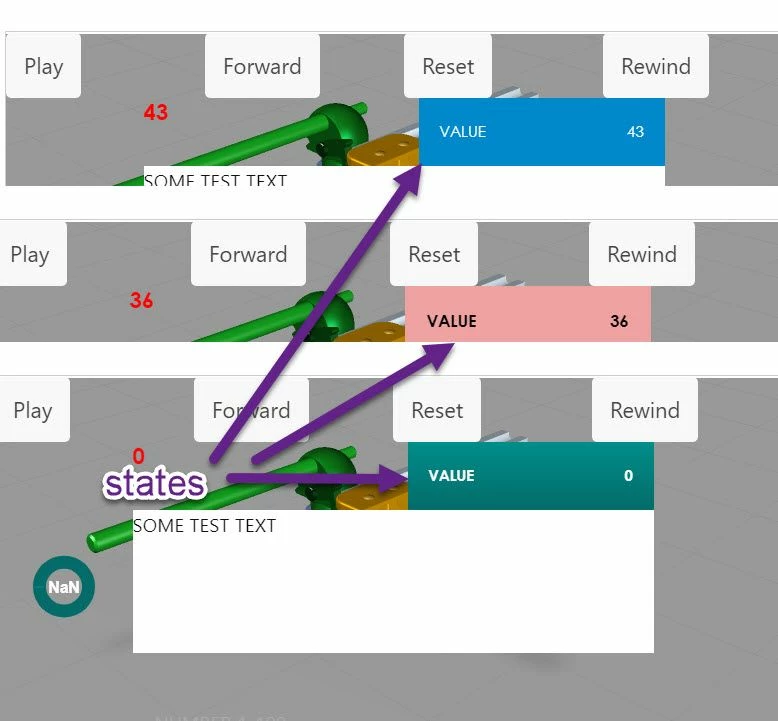
Depending on the value of particular Thingworx Thing property  the state will change the apearance of a value

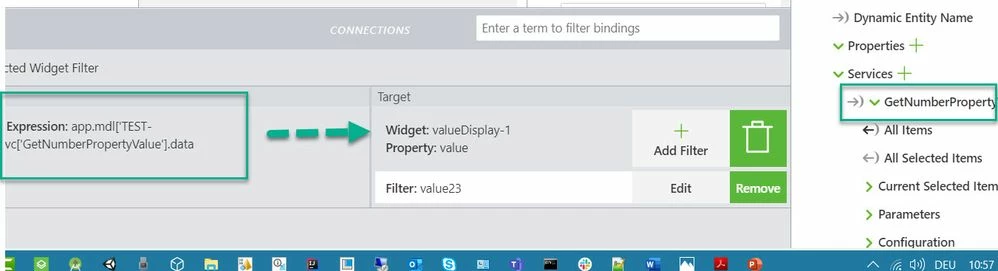
Here in the example the value of Value Display widget is the dependent Field. Means this what is used to decide which state from the thingworx stated defintion is used for the display of the widget
2020-03-24_22-57-57.jpg


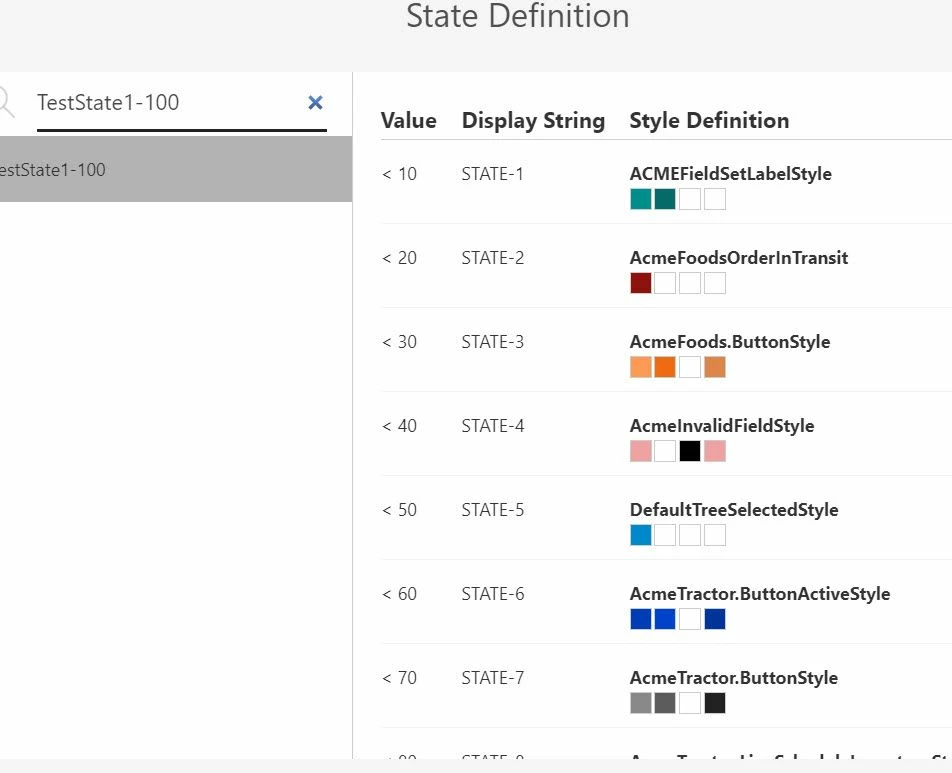
Here is a sample definition for a Style definition :
 

2020-03-24_23-01-39.jpg

Regarding to the question how to check a value in a code to execute a function depending on a value change - in this case you can use the Angular js watch construct - something like this:

////////////
$scope.$watch( // watch for the color setting
 function() {
 return $scope.app.params['testNUMber'];
 }
 ,
 function()
 { console.warn("$watch with nubmer= "+ $scope.app.params['testNUMber'])
 $scope.setWidgetProp('gauge-1', 'hiddenValue', $scope.app.params['testNUMber'])
 $scope.setWidgetProp('gauge-1', 'stateFormatValue','hiddenValue')
 }
 //end of the second function
);

This code will call the function when the parameter testNUMber will change its value

In this case it will set the value  to hiddenValue /customized value/ this will determing the correct state for the guage display

2 replies

21-Topaz I
March 24, 2020

Hi @vieirac1 ,

one possible option is to use some state base filter - where you bind the value to e.g. application parameter and then used the techniques described in the post :"Using Connection Filters for state-based rendering and value formatting"

21-Topaz I
March 24, 2020

In Studio we can also used a Thingworx State definition.

2020-03-24_22-47-07.jpg

Depending on the value of particular Thingworx Thing property  the state will change the apearance of a value

Here in the example the value of Value Display widget is the dependent Field. Means this what is used to decide which state from the thingworx stated defintion is used for the display of the widget

2020-03-24_22-57-57.jpg


Here is a sample definition for a Style definition :


2020-03-24_23-01-39.jpg

Regarding to the question how to check a value in a code to execute a function depending on a value change - in this case you can use the Angular js watch construct - something like this:

////////////
$scope.$watch( // watch for the color setting
 function() {
 return $scope.app.params['testNUMber'];
 }
 ,
 function()
 { console.warn("$watch with nubmer= "+ $scope.app.params['testNUMber'])
 $scope.setWidgetProp('gauge-1', 'hiddenValue', $scope.app.params['testNUMber'])
 $scope.setWidgetProp('gauge-1', 'stateFormatValue','hiddenValue')
 }
 //end of the second function
);

This code will call the function when the parameter testNUMber will change its value

In this case it will set the value  to hiddenValue /customized value/ this will determing the correct state for the guage display

vieirac110-MarbleAuthor
10-Marble
March 25, 2020

Tks so much, it helped me a lot