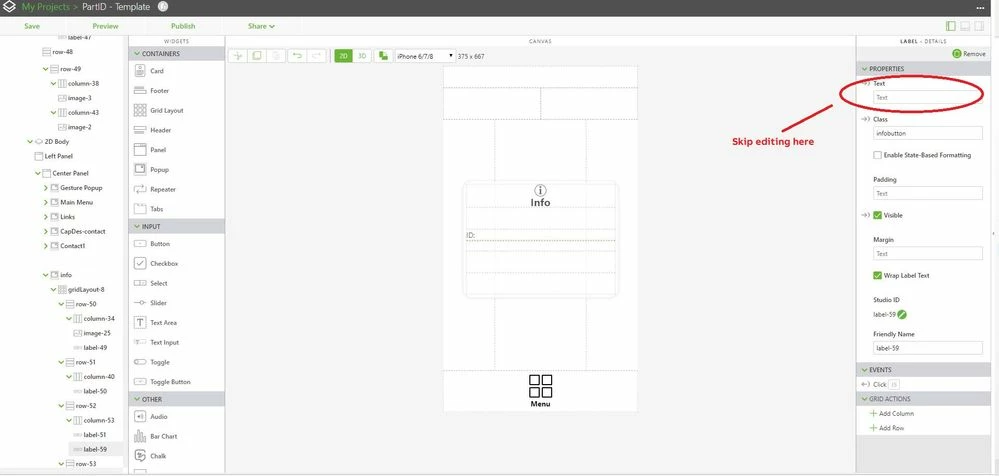
Hi @PhilipB,
may be, a significant question could be , when do you want to call this function. You can call it from a button as mentioned by @tmccombie . This should always work.
But when you try to set property on start , when you load first time the project - view - in this case if you write simple :
$scope.setWidgetProp( "label-59", "text", 'hello');
very probably this will not work because the object /widget is not initialized yet.
So the first idea is to call it with some timeout /delay like:
$timeout($scope.setWidgetProp( "label-59", "text", 'hello'),4000) //4 sec
And when use enough large value of delay this will work at the end , but this is also not a good solution.
The recommend way will be to use an event where you know that when this event is fired, all object are already initialized.
So if you want to set a 2d widget then you can use $ionicView.afterEnter', event - example:
$scope.$on('$ionicView.afterEnter', function() {
$scope.setWidgetProp( "label-59", "text", 'hello');
});
But this will not work for a 3d widget. In this case you need to use the modelLoaded event - example:
$rootScope.$on('modelLoaded', function()
{
$scope.setWidgetProp( "label-59", "text", 'hello');
});