Hi @Writer_test,
to be able to copy and paste some objects form another application (here your want to copy Adobe illustrator objects to Creo Illustrate) required that for this objects exist in the target application an Interface definition. So, some basic objects as texts. picture are supported by the native application support for windows (so means there are some windows standards which the most applications supports). But for special typical application object we require an interface definition.
Acutely, I do not much knowledge about the Adobe Illustrator but I myself have an installation of Adobe Illustrator 6.0 and so far I see it could save the object in file extension *.ai. I believe you want to use some 3d objects. In Creo illustrate we can import object via the import functionality:
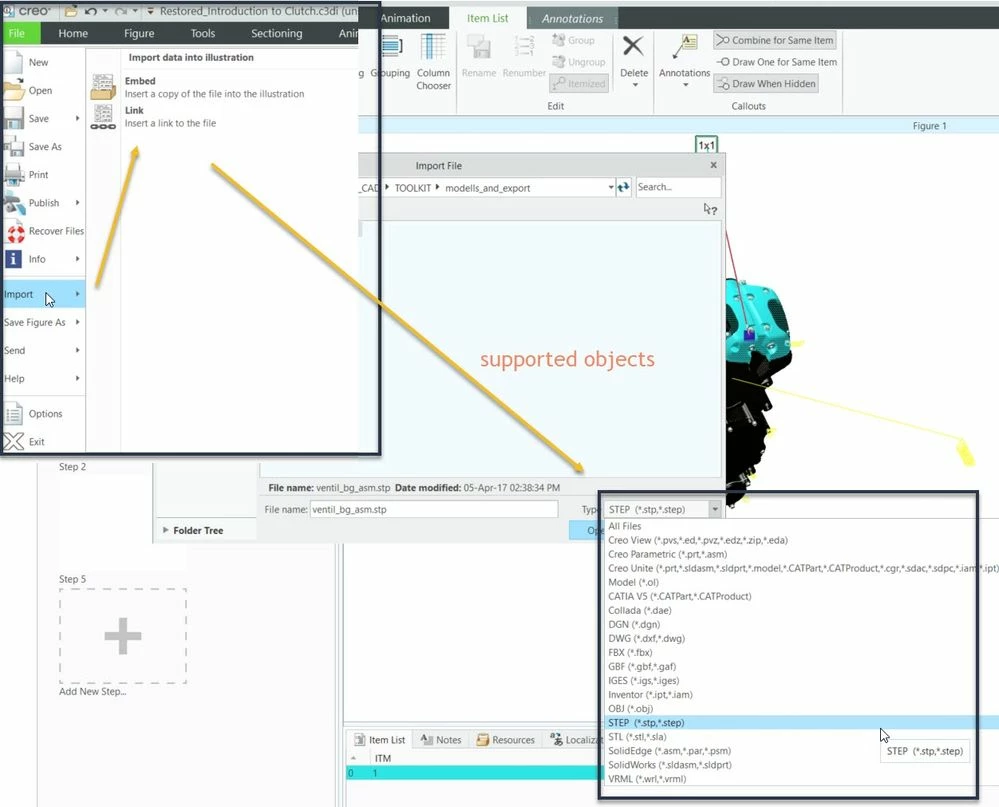
So far, we can see the AI format is not available there.
The windows cut and paste functionality could work only between different Creo Illustrate session for particular objects. One thing I know is working – you can copy objects for a step to another step e.g. in animation in the timeline. Also a simple cut and paste of some text into annotation could work. Cut and paste of complete objects will not work. Also Creo Illustrate does not support the windows OLE/COM (earlier active X ) object standard. Therefore I could not see a possibility for direct import /copy of such objects in Creo Illustrate from Adobe Illustrator. When you try to export form Creo Illustrator we will see the following format available:
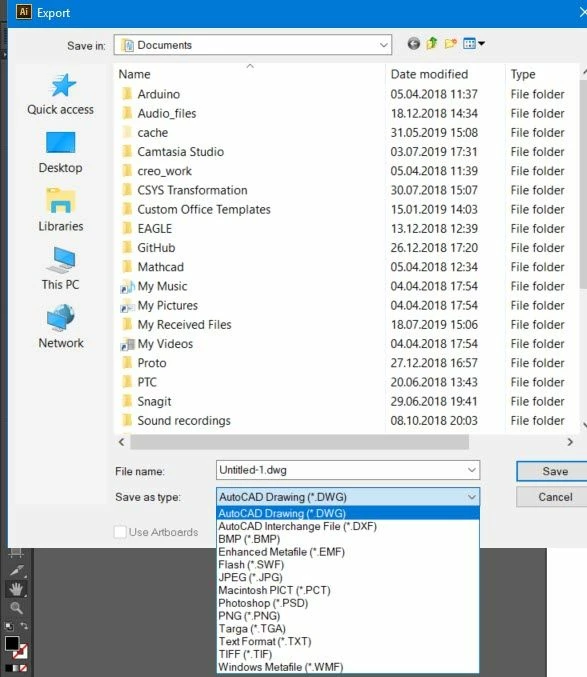
So, the only common format seem to be the AutoCAD dxf, dwg files. No Idea if this is sufficient enough to transfer are desired information. You need to test it.


