

1-Visitor
February 17, 2021
Question

Disable 3DLabel/Button when current step being played

  • February 17, 2021
  • 2 replies
  • 2048 views

Hi,


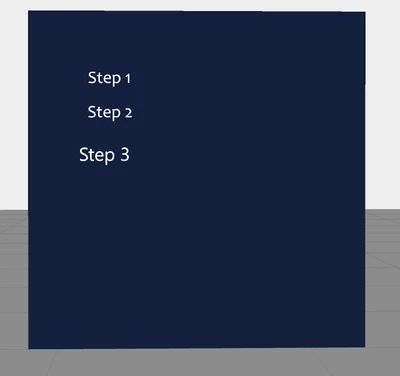
I have a list of sequence steps named as below:


Step 1;

Step 2;

Step 3;


To be able to finish the whole process, one must done the first step then follow by the other two. My concern is, when I in the second step process, step 1 and step 3 must be disable/freeze until I finish the current step (Step 2). Next, when I finish the second step, I want to jump to step 3 but disable the other two step before (one step at a time).


Need your advise regarding this matter. Thank you.
 

MiKha_1-1613554425603.png


2 replies

14-Alexandrite
February 17, 2021

Hi,


I suggest just to use one "Next Step" button. This would be probably easier to use.


Anyway, if you want to do it this way, you can check if the sequence is playing and only play the sequence when the step Label you clicked is the current step with the following function:

$scope.checkStepAndPlaying= function(step){
 if($scope.app.view['Home'].wdg['model-1'].playing ==false){
	if ($scope.app.view['Home'].wdg['model-1'].currentStep == step){
 		$scope.$broadcast('app.view["Home"].wdg["model-1"].svc.play');
		}
	}
}
 

Then you should call function from the Click event of the 3DLabel with the right step number, e.g. checkStepAndPlaying(1);


I hope that helps.

KM_011-VisitorAuthor
1-Visitor
February 18, 2021

Hi, thank you for your help.


I've tried the solution that you've suggested, but it didn't work. 


I've tried to think for another solution which is by disabling the 3D button after click. But it also didn't work. Is the 3D button cannot be disabled in 3D eyewear view? 


$scope.app.disableButton= function(buttonName)
{
 if($scope.view.wdg[buttonName]['value'] == true)
 {
 $scope.view.wdg[buttonName]['disabled']= true; 
 } 
}


Is there anything wrong in the code? Or the buttons can only be hidden after user click?


16-Pearl
February 18, 2021

With $watch & switch

$scope.$watch(
 'view.wdg["model-1"].currentStep', function(val) {
 switch (val) {
 case 1: 
 $scope.view.wdg['button-2'].disabled = true;
 $scope.view.wdg['button-3'].disabled = true;
 break;
 
 case 2: 
 $scope.view.wdg['button-1'].disabled = true;
 $scope.view.wdg['button-3'].disabled = true;
 break;

 case 3: 
 $scope.view.wdg['button-1'].disabled = true;
 $scope.view.wdg['button-2'].disabled = true;
 break;
 
 default:
 break;
 }
 }
)

non-current step Button could be disabled 

KM_011-VisitorAuthor
1-Visitor
February 18, 2021

It's not working at all. Currently I'm using a 3D button in 3D eyewear view. 


I've tried to hide the button using below code, but it's not working, 


$scope.hideButton= function(buttonName)
{
 if($scope.view.wdg[buttonName]['value'] == true)
 {
 $scope.view.wdg[buttonName]['visible'] = false; 
 } 
}


Am I doing it right?


14-Alexandrite
February 18, 2021

Hi,


the Button has no value property. You should check if it is visible or not like this:

$scope.hideButton= function(buttonName)
{
 if($scope.view.wdg[buttonName]['visible'] == true)
 {
 $scope.view.wdg[buttonName]['visible'] = false; 
 } 
}

Also make sure that the buttonName is a string, for example call hideButton("buttonName");