

1-Visitor
October 24, 2019
Solved

Downloading Pictures from file repository not possible

Hello everyone,


I am developing an 2D Experience where a list of files of a "fileRepositoryThing" is displayed. When clicking on one of the items the file should be downloaded.

For that I use the GetFileListingWithLinks of the Repository Thing. When clicking on a item the link is displayed in the "file-Widget" (Remember: 2D widget) and by clicking on the link the file should be downloaded.


This works for all file-types for the Experience Preview in the Browser. But when using this experience on my phone, pictures can not be correctly downloaded. When trying to, I get the following window:
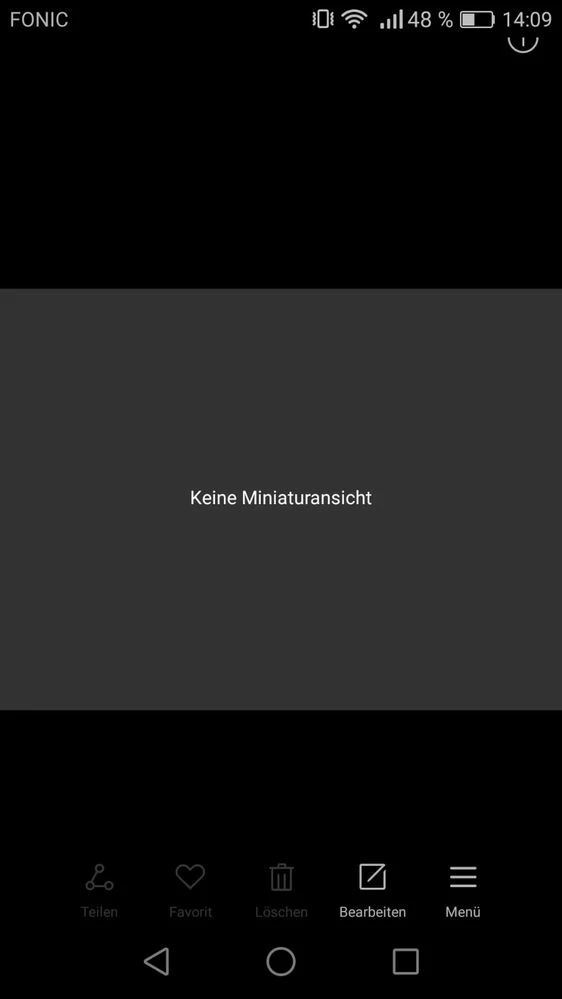
pictureDownload.jpg


PDF, Excel and so on works on the phone. 


A simple scenario looks something like this:
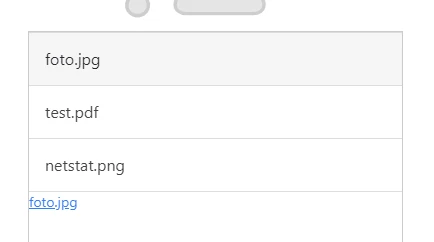
scenario.PNG


Any Ideas what could be the reason for that? I also tested that on a colleagues phone and it didn't work as well.


For your information, the structure of the link is something like this:
https://mythingworxServer/Thingworx/FileRepositories/myFileRepository/myFirstFolder/foto.jpg


I tried a view workarounds like opening the link in javascript via window.open(link) also leading to the same result.


Any help is appreciated very much.


Best Regards,

Dominik
21-Topaz I
October 25, 2019

for the question how to download a file?  -I  think from one side there are security restictions : ( stackoverflow.com :  "JavaScript Automatically Save Image File to Folder")

"There is no way for javascript to access the filesystem, this is due to security concerns. You can store the image data as a string in a lot of places though, such as browser storage. Luckily for you it looks as though you're trying to store it in a web server's folder!"

============

But there are other post's which sound more optimistic like : ( stackoverflow.com : How to save a base64 image to user's disk using JavaScript? ) Actually I tested this approach  and was able to download the files but unfortunately they are corrupt - are not completely downloaded so only part of the original file content was saved  – but content of this part  was ok!)

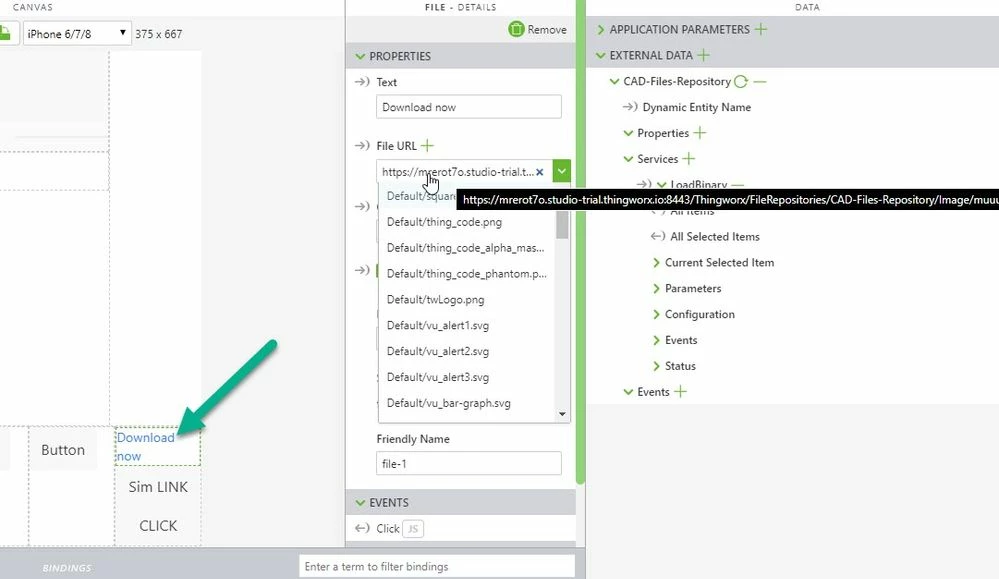
Therefore I tried to follow another approach using a file widget and trying to simulate a click event:

2019-10-25_19-11-13.jpg


The File Widget - File URL points to the repository location. Then  calling the folliwng script:


//called by buttion click
$scope.testButton= function() {
console.log("test button click");
//this works only if one file Widget exist
let e1=document.querySelector('a.twx-file.twxHyperlink')
fireClick(e1)
}
///==== definition of firClick function:

function fireClick(node){
 if (document.createEvent) {
 var evt = document.createEvent('MouseEvents');
 evt.initEvent('click', true, false);
 node.dispatchEvent(evt);
 console.log("MoseEvents")
 } else if (document.createEventObject) {
 console.log("onclick fireEvent")
 node.fireEvent('onclick') ; 
 } else if (typeof node.onclick == 'function') {
 console.log("onclick function")
 node.onclick(); 
 }
}
//----------------------------------------------------


this will start a downlaod of the specified File URL

I tested it in Preview and on IOS i-Pad 6 and this worked ok in current version. But on IOS it asks for credential

10 replies

21-Topaz I
October 24, 2019

Hi @drieder ,


what is here the final goal. Do you want to display these files/pictures  in Studio /vuforia view or these pictures  should be only downloaded to the mobile device and  should be used later with another applicaiton?

Translate
drieder1-VisitorAuthor
1-Visitor
October 25, 2019

Hi @RolandRaytchev,


I guess both. My best case scenario would be to download it and automatically open in the default application for the file

Translate
21-Topaz I
October 25, 2019

I used the described technique for direct display in Vuforia Studio/view. So the data was received in memory in a session variable

Important are also 2 things:

- to add the method LoadBinary (respectively LoadImage) for the particular repository thing in your external data

- to set the permission (service execute) for the service (e.g. LoadBinary) for specific user or respectively for the  es-public-access.

Why do you to download this file? Do you want to open (let say a particular picture )  file in an external application outside Vuforia view?


Translate
21-Topaz I
October 24, 2019

For example I have  here a simple project with 2d canvas with 2 widgets:

1.)2D video  Widget : "video-1"

2.) 2d Image Widget: "image-1"

2019-10-24_17-39-36.jpg


The used the following javaScript definition for functions:

//////////////////// 
$scope.CallRequest=1
$scope.type="gif"
$scope.play= false
//=============
// 1.) call video MP4
// 2.) call picture gif
// 3.) call call other

////////////////////read video from repository
// if play =true will play the video
$scope.GetVideoFromTwxRepository = function(path, play) {
 $scope.CallRequest=1
 $scope.play =play
 $scope.$applyAsync(function() {
 
 $rootScope.$broadcast('app.mdl.CAD-Files-Repository.svc.LoadBinary',
 {"path":path}
 );} ,500 );
 
 console.log("after calling GetVideoFromTwx");
 
};

////////////////////////////////////////////////////////////////

//////////////////// read Image from repository
//type could be gif , bmp, jpg etc.
$scope.GetImageFromTwxRepository = function(path, type) {
 $scope.CallRequest=2
 $scope.type=type
 $scope.$applyAsync(function() {
 
 $rootScope.$broadcast('app.mdl.CAD-Files-Repository.svc.LoadBinary',
 {"path":path}
 );} ,500 );
 
 console.log("after calling GetImageFromTwx");
 
};
//------------------------------------------
$scope.$root.$on('LoadBinary-complete', function(event, args) { 
 console.log("LoadImage-complete event");
 
 console.log("name="+event.name)
 console.warn(args.data);
 
 console.warn(args.data[0]);
 
 if ( $scope.CallRequest==1) {
 console.log("$scope.CallRequest==1")
 
 var ret_str='data:video/mp4;base64,'+args.data[0].Content;
 $scope.view.wdg['video-1']['videosrc']=ret_str; 
console.warn($scope.view.wdg['video-1']['videosrc'])
 if($scope.play==true) 
 $timeout(function () { $scope.$root.$broadcast('app.view["Home"].wdg["video-1"].svc.play'); }, 500);
 
 } 
 else if($scope.CallRequest==2) {
 console.log("$scope.CallRequest==2")
 
 var ret_str='data:image/'+$scope.type+';base64,'+args.data[0].Content;
 $scope.view.wdg['image-1']['imgsrc']=ret_str; 
 
 } 
 else if ($scope.CallRequest==3) { 
 console.log("call other option")
 
 }
 
 });
//------------------------------------------


Here I used the TWX service 'app.mdl.CAD-Files-Repository.svc.LoadBinary' to load both image, or binary - this is the  more generic service  (for picture we have also LoadImage with also the corresponding -complete event)

In the service call in the function s. GetImageFromTwxRepository or  GetVideoFromTwxRepository the code will call the service LoadBinary and will pass a path argument.

When the service is completed Vuforia Studio/View will call the 'LoadBinary-Complete" event. In this event  the received data will be set  to image or video widgets. I used variable to make difference between the current call.  But this could be sometime disadvantageous - because the call is asynchronous and  there could be a problem  when we call the functions for different types successive without delay  (e.g. video und image) . There is definitely a better solution where we can synchronize - but here it should display only the general principle  (e.g. one possible solution is to use the LoadImage service and the corresponding event LoadImage-complete)

The following call:

//$rootScope.$on('modelLoaded', function() {
 
$scope.$on('$ionicView.afterEnter', function() {
 
$timeout( function () {$scope.GetImageFromTwxRepository('Image/n22-05-19-01.jpg','jpg');},500); 
 
$timeout( function () {$scope.GetImageFromTwxRepository('Image/muuu.jpg','jpg');},2000);
 
$timeout( function () {$scope.GetVideoFromTwxRepository('/web/c-belt-converyor.mp4',true);},10000);

});

The code above will be called when the  2D canvas is loaded and it will do:

- read a jpg file form repository and set it to the image-1 / delay 500ms   0.5sec

-read a second  jpg file form repository and set it to the image-1 / delay 2000ms -2sec

-read a video file from repository and set it to video-1 2d widget and play it / delay 10000ms - 10sec

Translate
drieder1-VisitorAuthor
1-Visitor
October 25, 2019

Hello @RolandRaytchev,


thank you for your detailed explanation. In this case I will add a query to check whether the file is an image and handle it in the way explained by you. 

I hope it will be still possible to download the image as well.


Best Regards,

Dominik

Translate