


Getting Orientation of Mobile Device via Javascript
I am attempting to get change the text of a widget based on the mobile devices orientation. From what I could find, the best way to do this is via Javascript. The CSS methods I found for finding orientation are quite easy, but changing the text content of a widget via CSS is another story.
I found a solution here, and have tested that using the "Studio Sample - Import 3D Data" project that comes with vuforia studio. The only thing I have added is one extra button input widget, and some Javascript code.
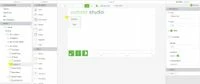
When I test it using a preview feature in vuforia studio, the button text only updates once. The console continually rewrites the same orientation each time I change the preview orientation or the preview screen size.
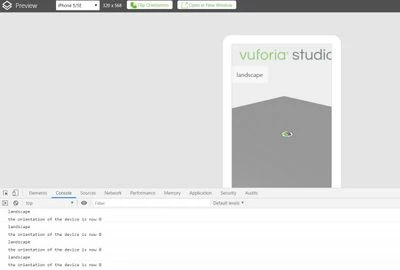
I also tested it by publishing this app and running it on an iPhone using Vuforia View. Here is gets a little better.
But It appears the experience needs to see another event, beyond orientation change, to push the button text change. For example, if I switch the iPhones orientation, my button text does not change, but once I touch a different button, say the Rotation Toggle button, the text on my Button-1 widget updates.
Any advice?
Thanks,