Hi @ifadeev ,
here I attached a small project (attached) which used similar approach to the mention "Gauge moving indicator" but instead of 3d gauge I used a simple 3d assembly where the arrow is a component used for modelItem definition:
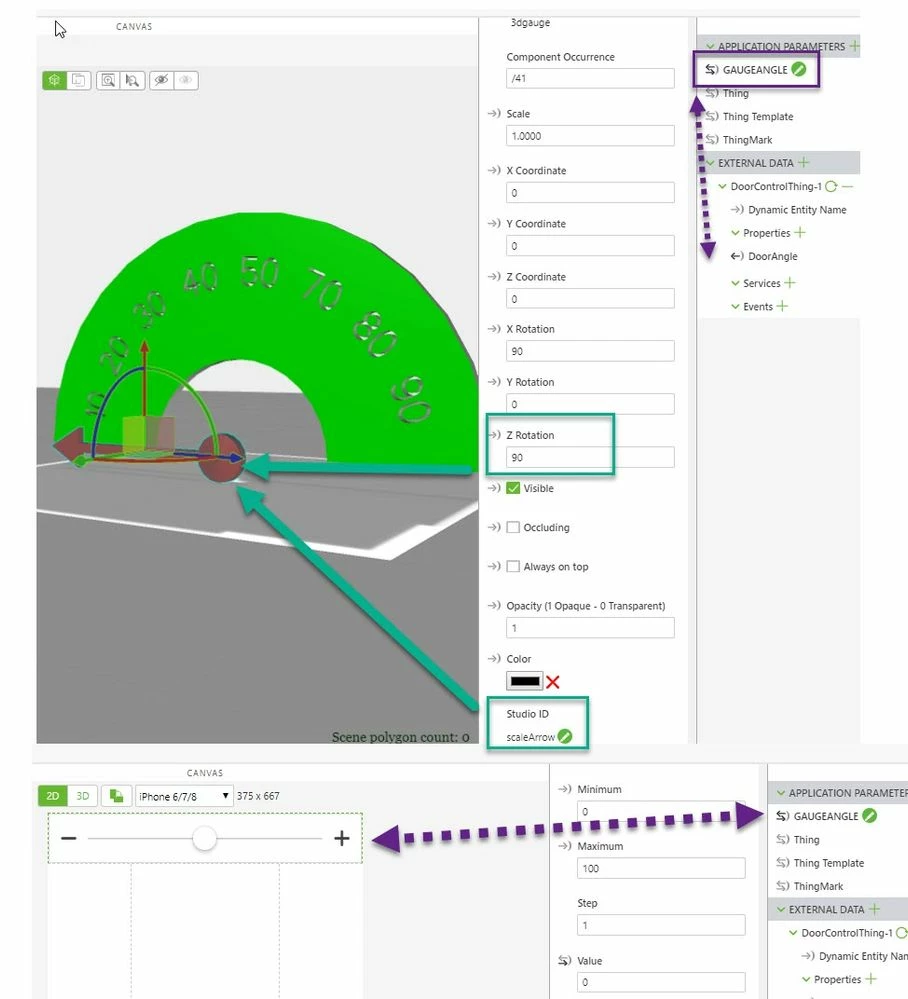
Here I used a 2d slider widget to set the app parameter for testing. But I also attached here (it is relevant to my environment only) to a Thing property "DoorAngle" and it worked fine.
I used the following javascript:
$scope.setArrowValue = function(val) {
let scaleMin=0
let scaleMax=100
let value=val
if(val < scaleMin) value=scaleMin
if(val >scaleMax) value= scaleMax
 //for angleMin angle in assembly is 90
 //for angleMax angele in assembly is -90
 let deltaAngle= 180.0*value/(scaleMax-scaleMin)
 let angleCalc= 90-deltaAngle
 $timeout(function () {
 $scope.$applyAsync(()=>{
// for print in the console need to comment it
 console.log("called $scope.setWidgetProp rz with angleCalc="+angleCalc);
 $scope.setWidgetProp('scaleArrow', 'rz', parseInt(angleCalc));


 });
},5);

};


$scope.$watch("app.params['GAUGEANGLE']", function() {
$scope.setArrowValue( parseInt($scope.app.params['GAUGEANGLE']))
})
Then I tested it in the preview:
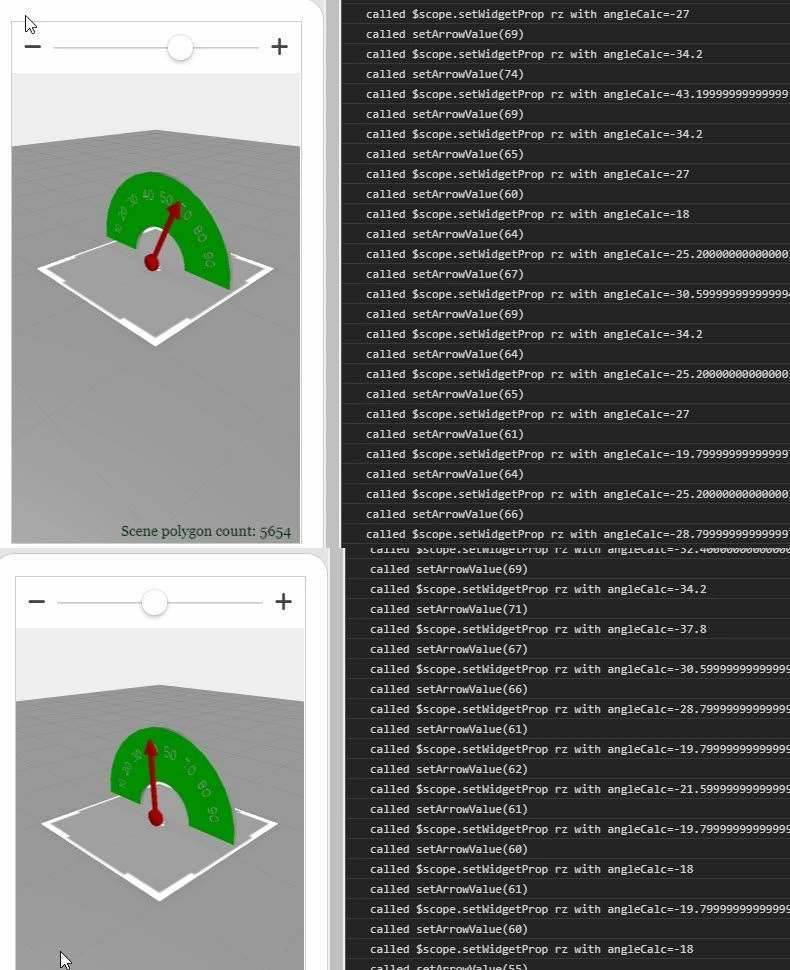
I attached the project to this post and hope it could be helpful in your case.


