1-Visitor
October 11, 2019
Solved

How can i change my font size to responsive

  • October 11, 2019
  • 1 reply
  • 1894 views

Hi,


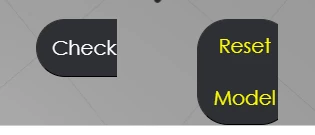
i am trying to change my font size to responsive, so that it will be able to view the complete text in any devices. 


For example,

clipboard_image_0.png

clipboard_image_1.png


Thanks in advance 😀

Best answer by sdidier

Hello Benchan, 


I have tested this solution with StyleSheet :

https://www.w3schools.com/howto/howto_css_responsive_text.asp


It seems works fine.

Please find attached an example Project.


More details about this example :

  • In 2D Canvas, a Grid and a Label Widgets have been added
  • Grid Widget is to control the size of the Label
  • If the text has a big size in a big screen, it can be truncated
  • In PROJECT Panel, in STYLES > Application, this CSS has been added :
.label_font_size_responsive {
 font-size:10vw;
}
  • This CSS class is used in the Label Widget in the Property named Class
  • We entered this value label_font_size_responsive


  • Is it helping you ?


Best regards,

Samuel

1 reply

sdidier17-PeridotAnswer
17-Peridot
October 11, 2019

Hello Benchan, 


I have tested this solution with StyleSheet :

https://www.w3schools.com/howto/howto_css_responsive_text.asp


It seems works fine.

Please find attached an example Project.


More details about this example :

  • In 2D Canvas, a Grid and a Label Widgets have been added
  • Grid Widget is to control the size of the Label
  • If the text has a big size in a big screen, it can be truncated
  • In PROJECT Panel, in STYLES > Application, this CSS has been added :
.label_font_size_responsive {
 font-size:10vw;
}
  • This CSS class is used in the Label Widget in the Property named Class
  • We entered this value label_font_size_responsive


  • Is it helping you ?


Best regards,

Samuel

benchan951-VisitorAuthor
1-Visitor
October 14, 2019

Thanks alot samuel, it works perfectly!! 😀