1-Visitor
November 4, 2019
Solved

how to use time Series Chart?

  • November 4, 2019
  • 1 reply
  • 4006 views

I bind $scope.app.params["timeSeriesChartData"


How should I organize $scope.app.params["timeSeriesChartData"]?


where is example( time Series Chart )?



Best answer by RolandRaytchev

Tested and it worked . 

1.)Set the data using $scope.setWidgetProp()

Example:

 $scope.$apply(()=> { 
 $scope.setWidgetProp('timeSeriesChart-1','data',myData) 
 })

2.) set the data to empty before setting with new value e.g.

 $scope.setWidgetProp('timeSeriesChart-1','data',{})

3.) update data async e.g.

 $scope.$applyAsync($timeout(function() { 
 $scope.$root.$broadcast('app.view["CHAR2DVIEW"].wdg["timeSeriesChart-1"].svc.updateChart')
 
 },150))

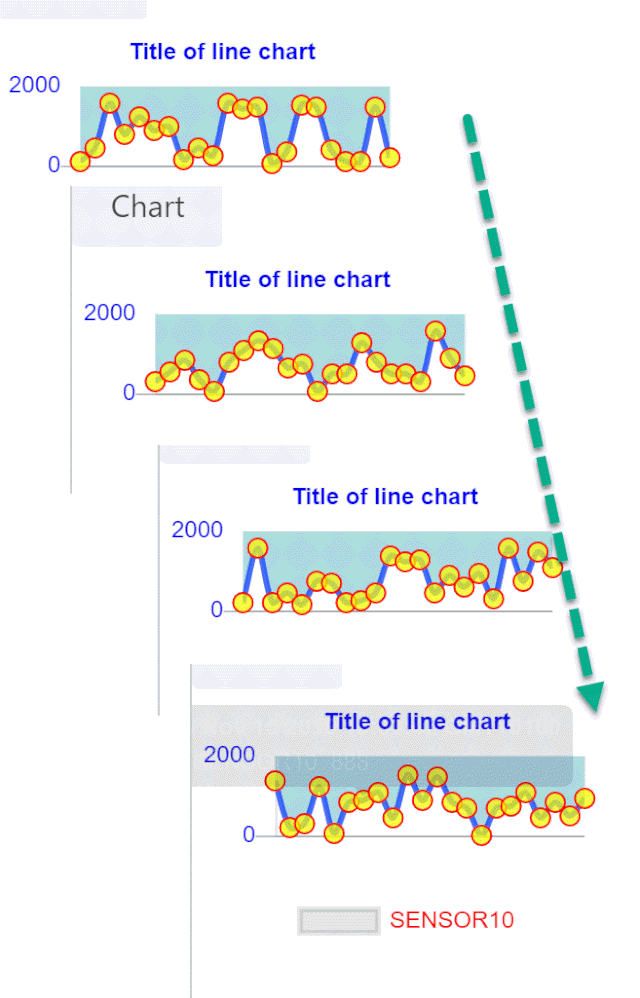
2019-11-15_13-32-54.gif

1 reply

21-Topaz I
November 4, 2019

There is a basic example of how to use the timeseries chart in the help center found here: http://support.ptc.com/help/vuforia/studio/en/#page/Studio_Help_Center%2FWidgetTimeSeriesChart.html%23


What is your desired use of this widget? 

wxywxy11-VisitorAuthor
1-Visitor
November 5, 2019

Thank for reply


i used this way, I don't know if this is the right way.


Ex ) Bar Chart


$scope.app.params["BarChartData"= [
    {"XAxis":"Brush","YAxis":0},
    {"XAxis":"Pin","YAxis":100},
    {"XAxis":"Link","YAxis":200},
    {"XAxis":"Spkt","YAxis":300},
    {"XAxis":"Shoe","YAxis":400}
];
 
I bind BarChartData  and Test code
 
    for(var i = 0 ; i < $scope.app.params["BarChartData"].length ; i++ )
    {
        RandValue = RandomInt(0 , 600 );
        $scope.app.params["BarChartData"][i].YAxis = Number(RandValue);
    }
 
    $scope.app.fn.triggerWidgetService("barChart-1","updateChart");
 
it is well
 
i want to use this way.
 
how to make Data for  time series chart?
 
link this
 
$scope.app.params["time_series_char"] = [ how to make ....]


wxywxy11-VisitorAuthor
1-Visitor
November 5, 2019

I can use Time Series Chart


I can use it the same way as Bar Chart.


I can't display Time Series Chart because construct  error


Only occurs in certain projects.


error message)


Chart.min.js:10 Uncaught Error: Chart.js - Moment.js could not be found! You must include it before Chart.js to use the time scale. Download at https://momentjs.com
at n.initialize (Chart.min.js:10)
at n.r (Chart.min.js:10)
at n [as constructor] (Chart.min.js:10)
at new n (Chart.min.js:10)
at Chart.min.js:10
at Object.each (Chart.min.js:10)
at t.buildScales (Chart.min.js:10)
at t.initialize (Chart.min.js:10)
at t.construct (Chart.min.js:10)
at new t (Chart.min.js:10)