


Illustrate sequences have parts visible in sBOM, set to 0% transparency, but not visible in viewport
I'm creating several sequences in Illustrate for use in Vuforia. The parts/assemblies are visible in the sBOM, they have transparency set to 0%, and they have location keys, but they aren't visible at all in the viewport. Selecting the parts in the sBOM doesn't highlight anything in the viewport, and trying to zoom to selected does nothing.
Selecting the part in the sBOM and looking at the Parts tab> Location window shows Figure Translation and Figure Rotation values, but looking at the location keys shows center and axis coordinates but no position coordinates. Instead, the position is listed as "nan, nan, nan," which is presumably "Not a Number." Occasionally, there is a negative sign before one or more of the "nan" coordinates. I haven't checked that this is the case for all of the problem parts, but it seems that the Location window has Figure Translation coordinates of 0.000, 0.000, 0.000 wherever the location key shows a "nan, nan, nan" Position value.
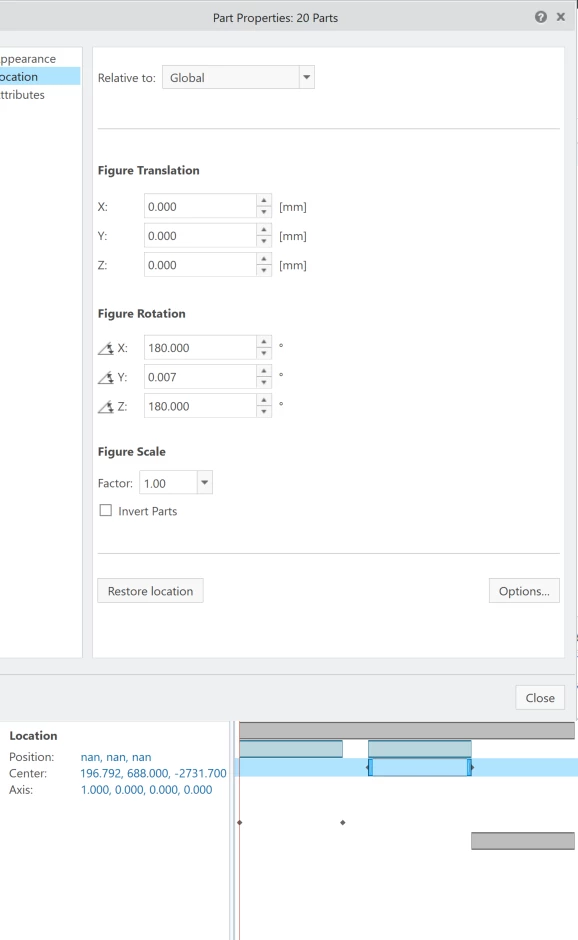
To further complicate things, if any of the location keys show as "nan, nan, nan," the part/assembly isn't visible even if other location keys show actual coordinates. Creating keys for the children of a problem assembly at a point where the parent key has an actual value shows that all the children parts have location keys showing position and center coordinates of "nan, nan, nan."
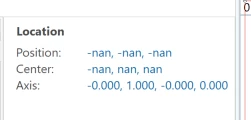
It isn't all parts/assemblies, and it isn't all the time. Some parts/assemblies that are fine in one step will be invisible in the next step. I'm not sure why it's just the specific parts/assemblies in question, and I'm also not sure what's causing it to happen. The problem parts/assemblies have been treated exactly the same as the rest of the model.