15-Moonstone
September 17, 2019
Solved

Is it possible to create Proportional Chart or Progress Gauge in Vuforia Studio?

  • September 17, 2019
  • 1 reply
  • 4010 views

Hello, 

I want to create Proportional chart or Progress bar in Vuforia Studio on 3D Eyewear project.

Is there any way to create custom gauges in VS?

I am using .SVG file for customized gauges but they are static.

I want dynamic gauge. please find below image for reference.12.PNG



Best answer by RolandRaytchev

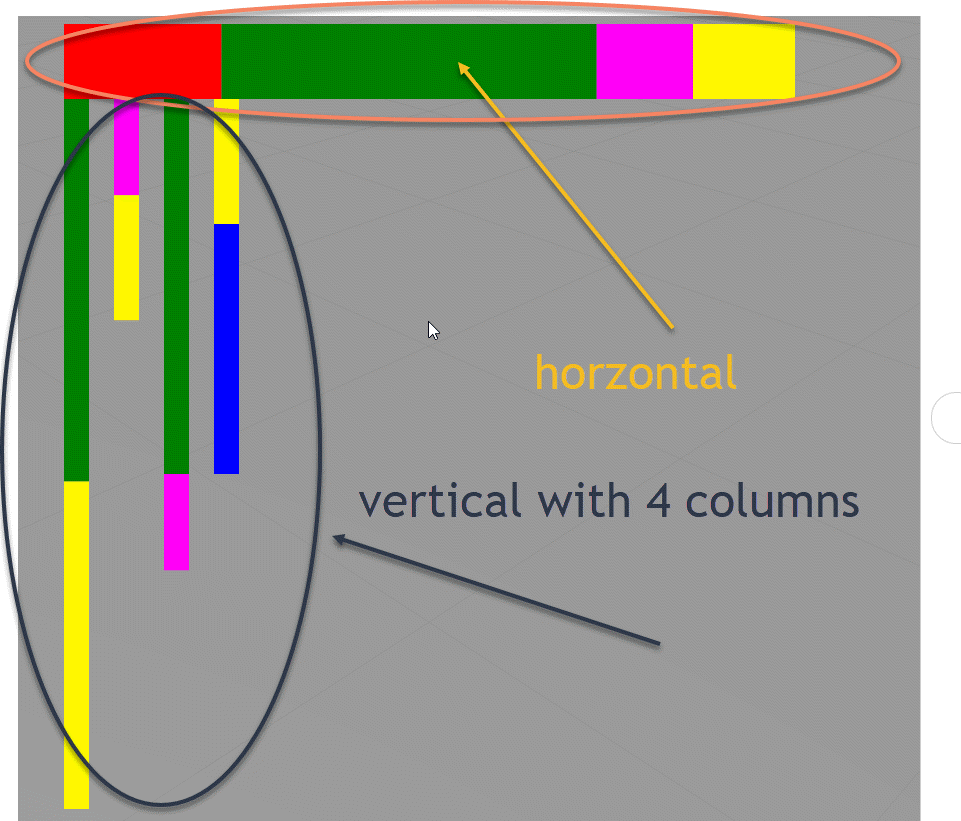
Using dynamic SVG format we can also create a vertical chart :


2019-09-17_19-15-34.gif


Here in this picture above additionally to the horizontal bar is also shown a vertical chart with 4 columns/bars

The function from the previous post was extended so that the with a call like:


 $timeout(proportionalBarMoretimes('image-2',20,20,2,'green',306,'yellow',300,'magenta',77,'yellow',100,'green',300,'magenta',77,'yellow',100,'blue',200),1000)

The following call


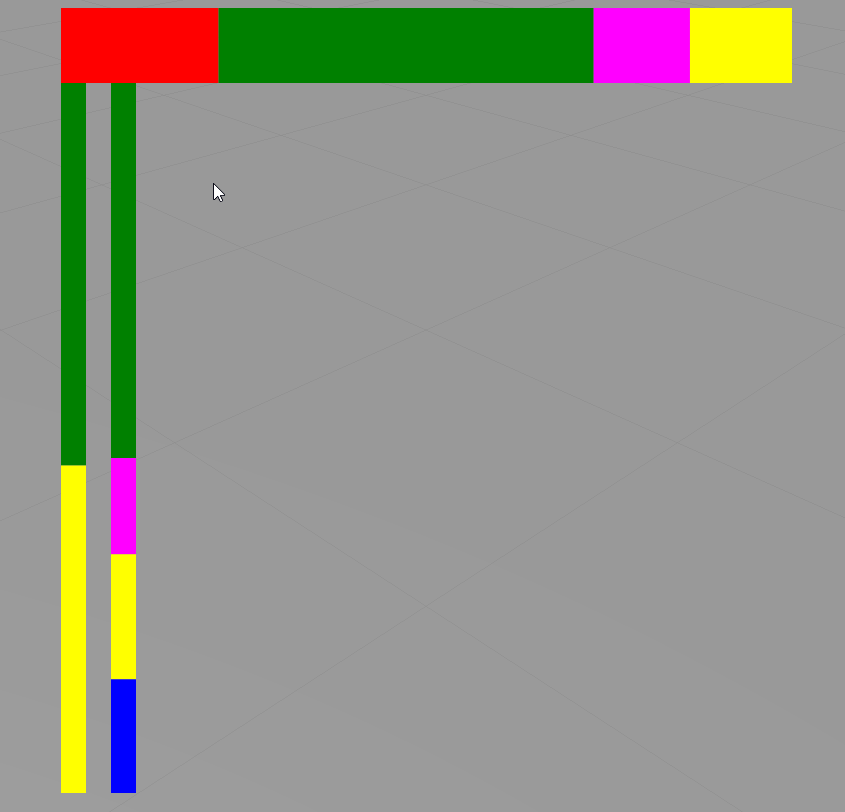
 $timeout(proportionalBarMoretimes('image-2',20,20,4,'green',306,'yellow',300,'magenta',77,'yellow',100,'green',300,'magenta',77,'yellow',100,'blue',200),1000)

will display a chart with 2 vertical  bars  :


2019-09-17_19-24-41.gif

1 reply

21-Topaz I
September 17, 2019

Hi @Swapnil_More ,


I do not believe that we can use the current barChart to create the desired functionality ( but actually not 100% sure, may be somebody have other idea)

But I think the using of the SVG file is a good approach. I think we can generate and set svg file dynamically according to the post "Display SVG as 3D Image on HoloLens"

If you have difficulties to get it working, then , please,  sent me the svg file - so I could try to create an example for dynamic setting.

Thanks!


15-Moonstone
September 17, 2019

Hello @RolandRaytchev ,

Please find attached .SVG files for reference and could you please explain me how it could be done?

I want to show Line history ( if Machine Running == Green, If Machine Idle ==  Red.)

Please tell me how I can achieve it.

21-Topaz I
September 17, 2019

Hi @Swapnil_More ,


actually when I give somebody  a hint in a  post , in generally I will expect  that at least some tests or consideration  should be done there. Did you check the link I mention in the last post .  "Display SVG as 3D Image on HoloLens" ? In this topic was mention how to generate dynamic svg file. Did you try this and what are the problems?

Nevertheless I did test it further  and it  was working as expected after some workโ€ฆ and some tests.(Because  I think this is a very good quesiton and need to be investigated furhter)

The mean approach is there to create a dynamic xml file using the SVG syntax.

Following function with variable arguments

function proportionalBar(<ImageWdiget>,heightBar,color1,width1,color2, width2 ..... )

example of call:


 $timeout(proportionalBar('image-1',60,'red',126,'green',300,'magenta',77,'yellow',100),1000)
//or
 $timeout(proportionalBar('image-2',20,'green',306,'yellow',300,'magenta',77,'yellow',100,'green',300,'magenta',77,'yellow',100),1000)

2019-09-17_14-14-19.gif

There are 2 Image widgets (image-1 and image-2)

I used the following code:


//function proportionalBar(<ImageWdiget>,heightBar,color1,width1,color2, width2 ..... )
function proportionalBar() { var imgWidget='' var height=30 var color ='red' var width=0 var x=0 var firstWidth=0 var xmlsrc_in='' var xmlsrc='<?xml version="1.0" encoding="UTF-8" standalone="no"?>\n' if(arguments.length>0) imgWidget=arguments[0] if(arguments.length>1) height=arguments[1] if(arguments.length>2) console.log ("number of arguments ="+ arguments.length) for (var i= 2; i < arguments.length; i++) { console.log('Argument ['+i+']='+arguments[i]); if ( i % 2 == 0) { color =arguments[i] console.log('color='+color)} else { if(firstWidth ==0) {firstWidth++ x=0 width=arguments[i] console.log('width='+width) } else { width=arguments[i] console.log('width='+width) x=x+arguments[i-2] console.log('x='+x) } xmlsrc_in = xmlsrc_in+'<rect x="'+x+'" y="0" width="'+width+'" height="'+height+'" style="fill:'+color+'"/>\n' console.log('xmlsrc_in='+xmlsrc_in) } } width= width+x xmlsrc=xmlsrc+'<svg xmlns="http://www.w3.org/2000/svg" height="'+height+'" width="'+ width+'">\n' xmlsrc=xmlsrc+ xmlsrc_in xmlsrc=xmlsrc+'</svg>' console.warn(xmlsrc); $scope.view.wdg[imgWidget].imgsrc='data&colon;image/svg+xml;base64,'+btoa(xmlsrc); } /////////////////////////////////////////////// $scope.$on('$ionicView.afterEnter', function() { $timeout(proportionalBar('image-1',60,'red',126,'green',300,'magenta',77,'yellow',100),1000) $timeout(proportionalBar('image-2',20,'green',306,'yellow',300,'magenta',77,'yellow',100,'green',300,'magenta',77,'yellow',100),1000) })

During the tests I did some printing to the console for debugging purpuse. You can disable them /comment or remove /

2019-09-17_14-25-55.gif