13-Aquamarine
February 22, 2023
Solved

Is there any method to extract specific column value in repeater?

  • February 22, 2023
  • 2 replies
  • 1492 views

Hi,


I'm using repeater widget in my project.

_10243899_2-1677087770984.png

_10243899_3-1677087786942.png

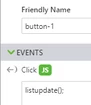
listupdate app parameter is binded to data property of repeater widget.

_10243899_6-1677088076507.png


_10243899_4-1677088020099.png


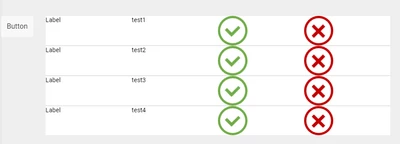
when we click Button, the result is like below.

_10243899_1-1677087718681.png


at this point,

I want to get third column img src value of third row.

how can I get third column img src value?


I attached the project file. please refer to the project file.

and please let me know how get the value.


Best answer by RolandRaytchev

Hi @jsj ,

I think here is not quite clear what is the goal at the end - so means to get the third column  and third row this is  Ok. But what is not clear -when you want to get this in which contex?. This is important question because there could be different approaches . So, you can get data and could count the number column and number row simple form to repeat data property:
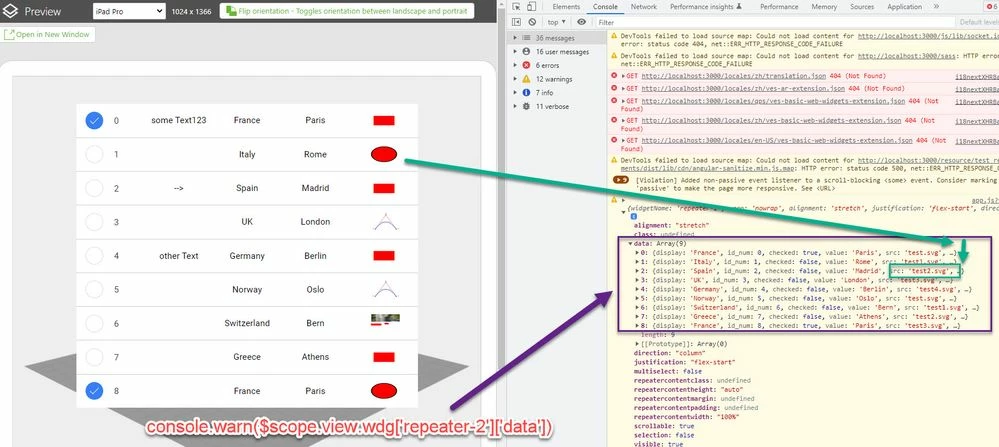
2023-03-08_10-02-19.jpg

So you can retrieve simple the data 


let my_data =$scope.view.wdg['repeater-2']['data']
console.log(my_data[2].src)
//this will print here "test2.svg"


 and here (example ) the print of 3 row 6 column is "test2.svg"  


But I think possibly your goal is to click on element and to try  to find the value , respectively to change the value in cell . So possibly the following behavior as shown on the picture below:
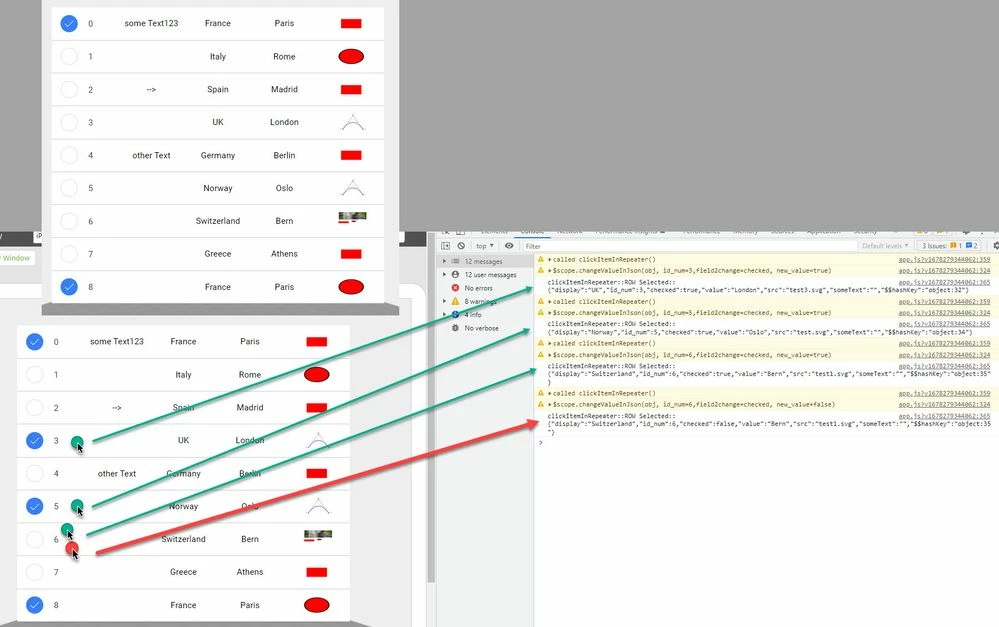
2023-03-08_13-57-25.jpg

So in this case you can use the callback for the clickItemInRepeater event:


twx.app.fn.clickItemInRepeater = function(item,list,isMultiSelect){
//... your definition
}


there in the call the list contains the list - means that what is the data in the repeat widget

I hope this will make it more clear- and the item is the clicked row.

Also you can find the demo project (I mentioned int he picture above) in the post https://community.ptc.com/t5/Vuforia-Studio/list-widget-js-api/m-p/803441

here the project to download

 

2 replies

16-Pearl
March 6, 2023

Hi, your case is no very clear to me. Maybe you could describe the interaction the user should take and what the outcome should be. 

One hint I can give you is this. If you want to inspect your elements you can do this:

Open preview -> Click on "open in new window" -> Open console (e.g. F12) -> Type in "window.twx"

Now you can navigate to your widgets : appScope > view > home > wdg > repeater-2


The image source of the third row will be the same as the original one, since it is only repeated.

If you want a state based change, maybe a filter is what you need.


See also here:

how to use add data filter? - PTC Community


21-Topaz I
March 8, 2023

Hi @jsj ,

I think here is not quite clear what is the goal at the end - so means to get the third column  and third row this is  Ok. But what is not clear -when you want to get this in which contex?. This is important question because there could be different approaches . So, you can get data and could count the number column and number row simple form to repeat data property:

2023-03-08_10-02-19.jpg

So you can retrieve simple the data 


let my_data =$scope.view.wdg['repeater-2']['data']
console.log(my_data[2].src)
//this will print here "test2.svg"


 and here (example ) the print of 3 row 6 column is "test2.svg"  


But I think possibly your goal is to click on element and to try  to find the value , respectively to change the value in cell . So possibly the following behavior as shown on the picture below:

2023-03-08_13-57-25.jpg

So in this case you can use the callback for the clickItemInRepeater event:


twx.app.fn.clickItemInRepeater = function(item,list,isMultiSelect){
//... your definition
}


there in the call the list contains the list - means that what is the data in the repeat widget

I hope this will make it more clear- and the item is the clicked row.

Also you can find the demo project (I mentioned int he picture above) in the post https://community.ptc.com/t5/Vuforia-Studio/list-widget-js-api/m-p/803441

here the project to download