


Solved
Javascript async functionality execute code step-by-step
Hello everybody!
Is there a way to sequentially execute javascript code in vuforia?
I have a function in which I need to perform a series of actions in a clear order:
1) Call the service and get the data
2) Analyze data from the service
3) Depending on the data analysis, show or hide some elements of the vuforia interface
If i write the code like this:
// Call service
$scope.ServiceCall = function () {
 twx.app.fn.triggerDataService("VuforiaThing", "Service");
};

// Anylaze data
$scope.DataAnalyze = function () {
 if ($scope.app.mdl['VuforiaThing'].svc['Service'].data.current['OperationStatus'] == "status"){
 $scope.app.params.testparam = true;
 } else {
 $scope.app.params.testparam = false;
 }
};

//Manipulate UI
$scope.ManipulateUI = function () {
 if ($scope.app.params.testparam == "true"){
 $scope.view.wdg['WidgetID']['visible'] = true;
 } else {
 $scope.view.wdg['WidgetID']['visible'] = false;
 }
};

// Execute code after view entry
$scope.$on('$ionicView.afterEnter', function() {
 $scope.ServiceCall();
 $scope.DataAnalyze();
 $scope.ManipulateUI();
});
sometimes it turns out that step 2 is performed earlier than 1 and then an incorrect analysis occurs, since there is no data and, accordingly, at step 3, I perform erroneous actions on the interface elements.
If i try to use "async function" vuforia say
! 'async function' is only available in ES8 (use 'esversion: 8').
I find some solutions like this
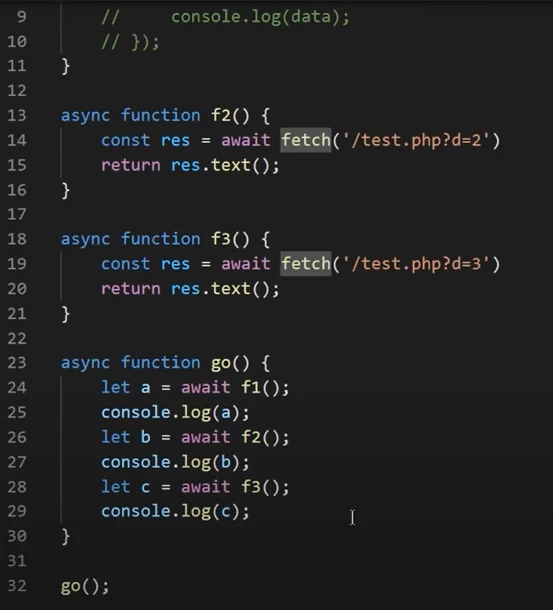
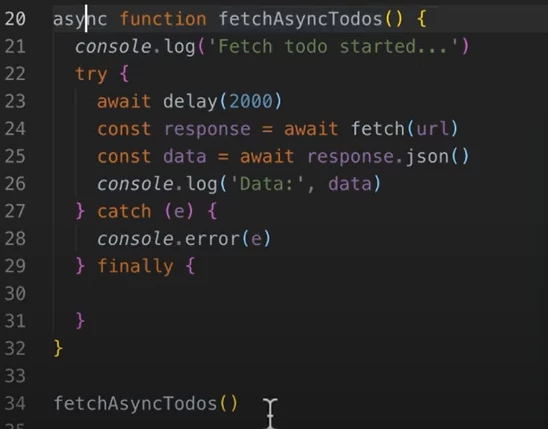
but it does not working in Vuforia.