
16-Pearl
Apr 15, 2020 12:14 PM UTC
Question

making a sidebar swipe in and out

Hi everyone,


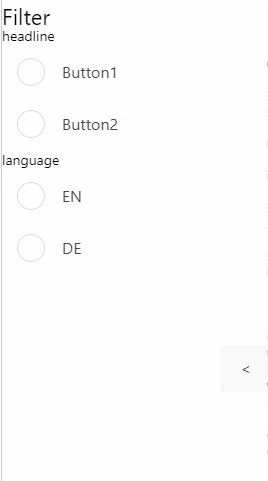
I have a 2D Project and want to make a "sidebar" that can be reduced by a button or be displayed again. I have a column, that contains a grid-layout, where all my buttons and labels are in. Clicking on the button "<" the grid layout's visibility is set to false, but the column stays at place. 

Does anyone know how to make it disappear?


Cheers

whity


sidebar.JPG

5 replies

14-Alexandrite
Apr 16, 2020 5:03 AM UTC

Hi,

usually that should work.

Can you share your code to set it invisible and your item tree?


Thanks.

Translate
whity16-PearlAuthor
16-Pearl
Apr 16, 2020 6:10 AM UTC

Hi sebben,

the code is quite short:

$scope.HideSidebar = function () {
sidebarswitch=!sidebarswitch;
$scope.view.wdg['gridLayout-2'].visible=sidebarswitch;

}


This is, what the sidebar looks like when gridlayout-2 is invisible, I would like to have the white area disappear and the "< " button to move to the very left.

sidebar2.JPG

Translate
14-Alexandrite
Apr 16, 2020 6:41 AM UTC

It would be helpful to see your item tree or hierarchy  as well. Also. are you using css? Then you probably have to change some properties there too. I got this working with a hierarchy like this without css:

snip.PNG


Translate