9-Granite
April 29, 2022
Solved

Matterport Integration with ATG

  • April 29, 2022
  • 1 reply
  • 2579 views

Hi,


We're doing prototype development specifically navigation app. I have a vendor that help us to scan area using Matterport. One of files I received from them is .E57 file


My question:

In ATG, can I use .e57 file from Matterport to generate area target file in ATG?

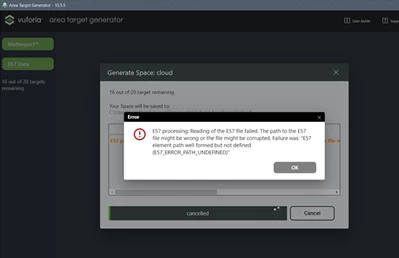
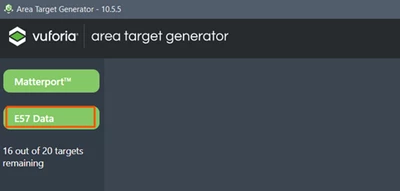
I got error (figure below) as I use .e57 file in ATG
nurathirah_0-1651199462970.png

nurathirah_1-1651199663360.png


As far as I know, Matterport account with professional license subscribed is needed for this. Since I have .e57 file, I thought I could use it without purchase the license as this is our proof-of-concept development.


 Thanks.


Best answer by sebben

Hi, you can rename the <target_name>_authoring.3dt to <target_name>_authoring.zip.

Then open it and copy the authoringMesh.glb out of it and rename it to <target_name>_authoring.glb.

1 reply

14-Alexandrite
May 3, 2022

Hi, 

I believe this is not possible yet.

Your vendor needs to do what is written under "Retrieving Models with the Matterport™ API Token" here:

https://library.vuforia.com/scanning-environment/area-targets-matterporttm-scans#retrieving-model

and send you the Token ID, Token Secret and Space ID.

Then you can generate the Area Target.

9-Granite
May 11, 2022

Hi, 


We asked our vendor to use ATG with their Matterport™ API Token and they already sent us the output file.

Below is content of the file I received.

nurathirah_2-1652256267181.png


However, I received .rar file instead of .zip, so I just de-compress and re-zip it back.

I uploaded the zip file in Vufoia Studio but having below error.

nurathirah_3-1652256522818.png


I would like to confirm on what is the output of ATG?

Is ATG generate multiple files and we need to manually zip it? If so, they might miss the _authoring.glb file (or any other possibilities)?


Thanks.

sebben14-AlexandriteAnswer
14-Alexandrite
May 11, 2022

Hi, you can rename the <target_name>_authoring.3dt to <target_name>_authoring.zip.

Then open it and copy the authoringMesh.glb out of it and rename it to <target_name>_authoring.glb.