Hello @krthk86g ,
additional to info posted by @sdidier
I also want to add some points:
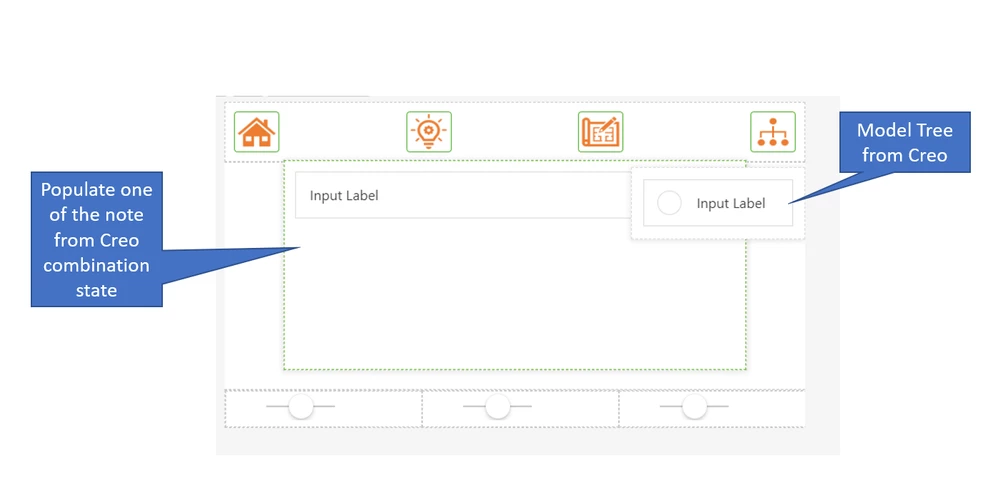
1.populate data from Creo parameter and notes. notes will be having a unique name that tech_spec, Fun-Spec
>>> here we have 2 tasks
A.) to extract the data from Creo Parametric. So far I understand you have a Creo Installation. In this case it is better to use a tools in this environment or to write some (e.g. Toolkit but also some native Creo Export - like save the modeltree or the parameter list directly from the UI) where you can extract the data directly in Creo depending on the information what you need
B.) when we have now the data in Vuforia Studio (meta - data in some list json or csv , text... etc. then what you want to do with this info ... may be you can provide some examples so we can further check if this could be possible or not according to the Vuforia Studio functionality...
- display the model tree from Creo and enable show/hide as shown in the picture below.
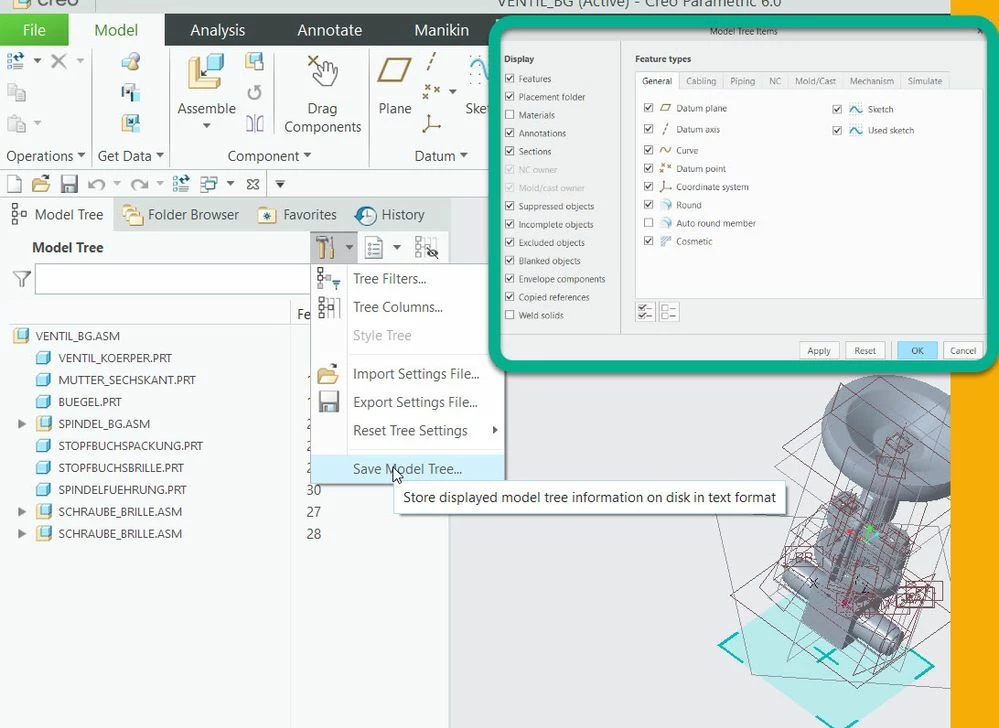
>>>> the model tree could be exported > the simples way is to save the modelTree in Creo Parametric UI as text file (see picture) but also using other tools (toolkits - Pro/Toolkit, J-Link ,WebLink OTK etc.)
So here the question is : What is your goal in Vuforia Studio? What you want to do with this data and how it should be displayed? One possible reason what I suppose is e.g. to hide and unhide components ... etc.
I have to point here that we do not have a widget which is good to display the tree structure - we can try to use different list etc. but it is no so easy (e.g. in TWX we have a widget which could directly display a model tree data but not in Vuforia Studio)
A second points is that we need to implement the action behind the click on items etc... there could be a long list of tasks which need to planed and implemented