Best answer by RolandRaytchev

Hello @oparfon ,

when I am checking the help and the link for the  all widgets there:
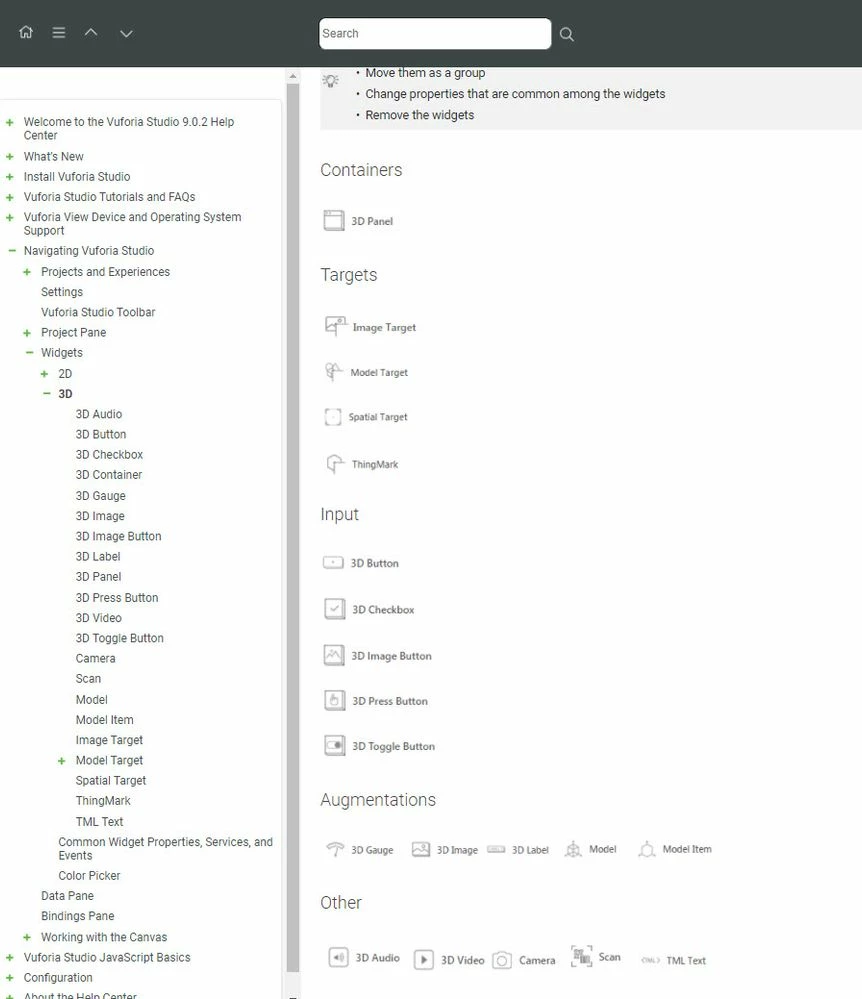
2021-03-25_15-04-02.jpg

They seems to work.

When I am  checking then the availibilty in the Studio Inteface:
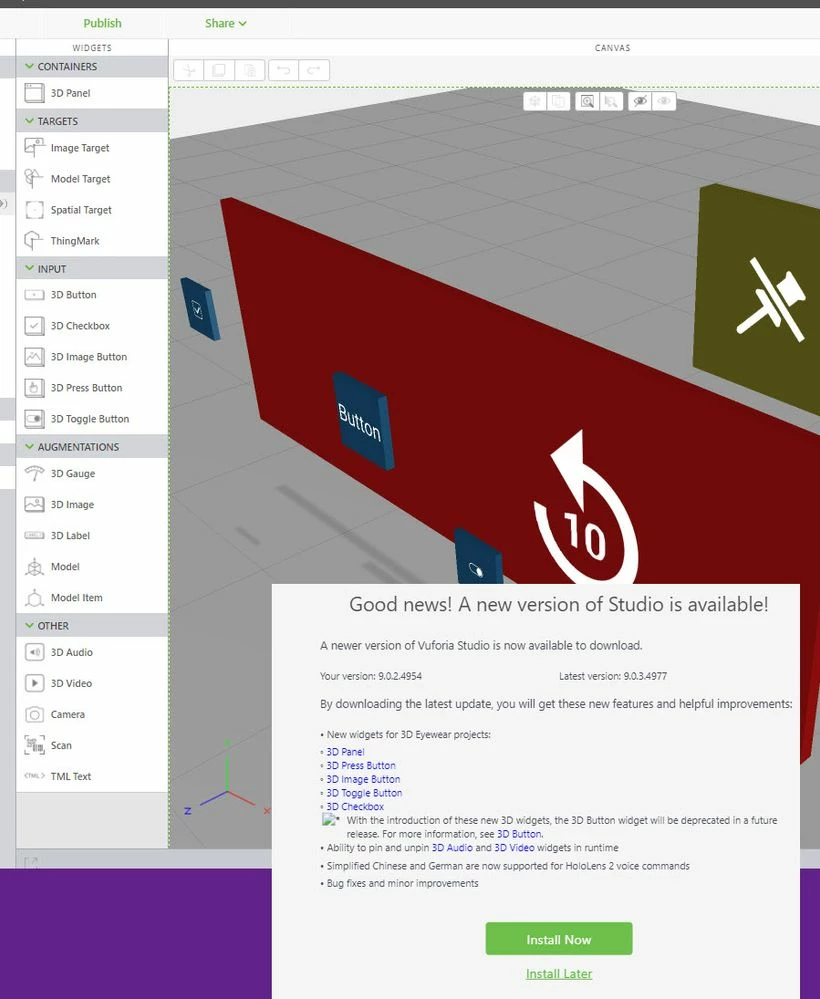
2021-03-25_14-59-54.jpg


So, for me seems that documentation cover the current widget available.

3D List seem not to belong to the current Studio functionality (comming with the installation). Possibly this is some custom widget? You can check if on your system are added customer widgets when you check in Documents/VuforiaStudio/Extensions where the additional customers widgets are added as extension. In a subfolders for the extension widget or widget group you could find the index.js file where e.g.:


exports.runtimeAngularModulesRequires = [
 ....
 "panel3D-ng",
 "list3D-ng",
 ....
 ];

there is the list of the custom added widget

If the 3DList is provided as extension possible you can find example and documentation from the source where you received this extension.


1 reply

21-Topaz I
March 25, 2021

Hello @oparfon ,

when I am checking the help and the link for the  all widgets there:

2021-03-25_15-04-02.jpg

They seems to work.

When I am  checking then the availibilty in the Studio Inteface:

2021-03-25_14-59-54.jpg


So, for me seems that documentation cover the current widget available.

3D List seem not to belong to the current Studio functionality (comming with the installation). Possibly this is some custom widget? You can check if on your system are added customer widgets when you check in Documents/VuforiaStudio/Extensions where the additional customers widgets are added as extension. In a subfolders for the extension widget or widget group you could find the index.js file where e.g.:


exports.runtimeAngularModulesRequires = [
 ....
 "panel3D-ng",
 "list3D-ng",
 ....
 ];

there is the list of the custom added widget

If the 3DList is provided as extension possible you can find example and documentation from the source where you received this extension.

13-Aquamarine
March 26, 2021

I have the most current Studio version, however, I do not have the additional 3D objects.  I do have the json file in the folder described above

21-Topaz I
March 29, 2021

Hi @dmforbes ,

the current version of studio 9.0.2.4969.

When you create a new eyewear 3d project  then the following widget should be available by the standard installation:

2021-03-29_13-36-49.jpg

An index.js  file in the extension folder (<window_user>\Documents\VuforiaStudio\Extensions) is not required .  I mentioned it only  for the check if there  are some custom extensions widget added to the Studio installation. 

In the extension folder we could have the  studio-defaults.json where are some defaults- this is part of the standard installation.