

15-Moonstone
February 10, 2021
Solved

Not able to update and open vuforia studio.

  • February 10, 2021
  • 1 reply
  • 1131 views

Hello,

The 'Open' button appears to be disabled whenever I start Vuforia, so I tried to download update but it's shows low disk error.

Can someone tell me why this is happening?

VS Current Version 8.5.15

VS Latest Version 9.0.1 (Want to update)

Please find below error log for reference.
Best answer by RolandRaytchev

Hi @Swapnil_More ,

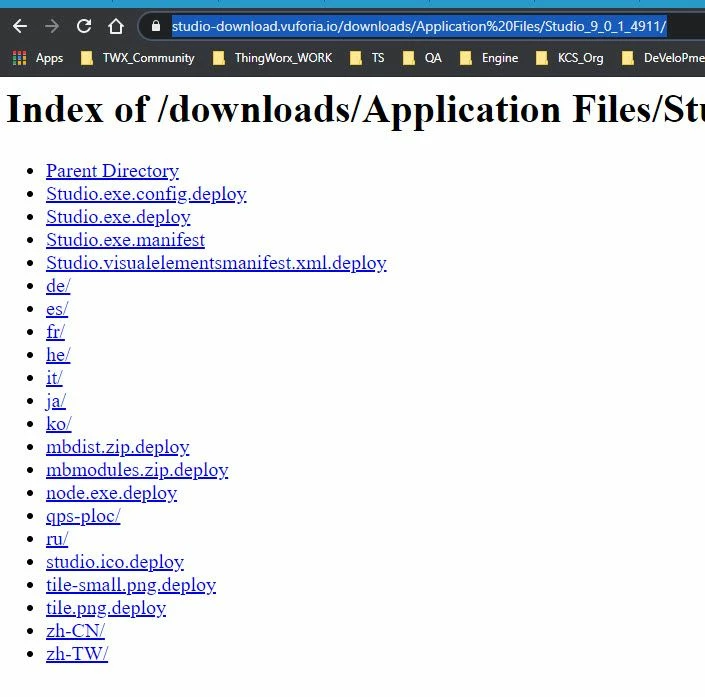
strange error. My impression is that the linkhttps://studio-download.vuforia.io/downloads/Application%20Files/Studio_9_0_1_4911/

did not work or is not visible:

2021-02-12_10-18-14.jpg

May be , it could be helpful to restart you machine and to test if the network is working properly  and if internet connection is ok.

Then you can clear the history of your browser or start in incognito mode

Try the link in browser

https://studio-download.vuforia.io/downloads/Application%20Files/Studio_9_0_1_4911/

If it works then try again to update.

Of course, you have to ensure that you have enough memory available on your disk and on the HOME - where is your user profile on windows

1 reply

21-Topaz I
February 12, 2021

Hi @Swapnil_More ,

strange error. My impression is that the linkhttps://studio-download.vuforia.io/downloads/Application%20Files/Studio_9_0_1_4911/

did not work or is not visible:

2021-02-12_10-18-14.jpg

May be , it could be helpful to restart you machine and to test if the network is working properly  and if internet connection is ok.

Then you can clear the history of your browser or start in incognito mode

Try the link in browser

https://studio-download.vuforia.io/downloads/Application%20Files/Studio_9_0_1_4911/

If it works then try again to update.

Of course, you have to ensure that you have enough memory available on your disk and on the HOME - where is your user profile on windows