Hello Thadeus and Giri,
@giri,
A recipe, is a text with .rcp extension used in the Creo View Adapters.
It contains some settings used when converting a CAD file to .pvz or .pvs file.
Creo View Adapters is embedded in Creo Parametric.
@Thadeus,
In the Creo View Adapters, it is possible to have an User Interface to modify the recipe file.
Please follow these steps :
- Run <Creo View Adapter install directory>\bin\proe2pv_config.exe
- In the Setup Directory field, select another browser
- In the Start Comand field, select the <Creo Parametric install directory>\Parametric\bin\parametric.bat file
- Click Setup button
- Click Recipe Editor button
- In the Basic tab, in the Required Entities frame, switch on the required settings.
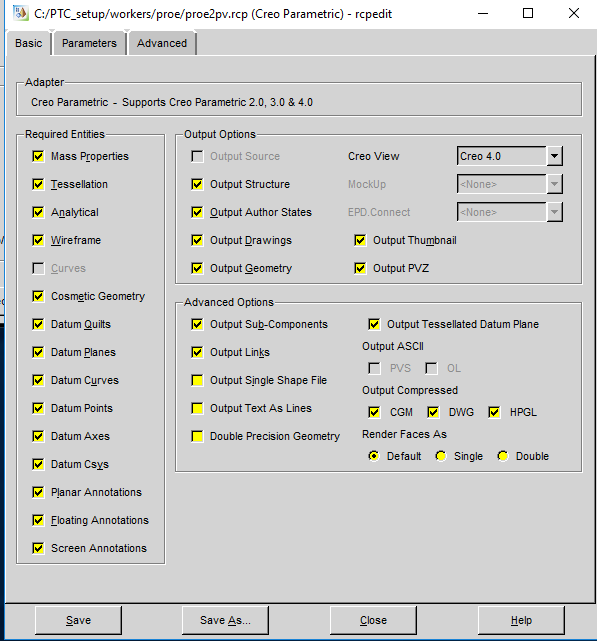
For Cosmetic, it is Cosmetic Geometry for example.
For geometry, Output Geometry should be enough, I guess.
To export Surfaces/Quilt, it is more complex.
I have found this article with more details about the settings to enable in this User Interface:
https://support.ptc.com/appserver/cs/view/solution.jsp?n=CS56399&posno=4&q=recipe%20surface%20export&source=search
Best regards,
Samuel

