OK , this was what the last code will do.
So I take a toggle widget for testing but the principle is working also with toggle buttong.
Here example
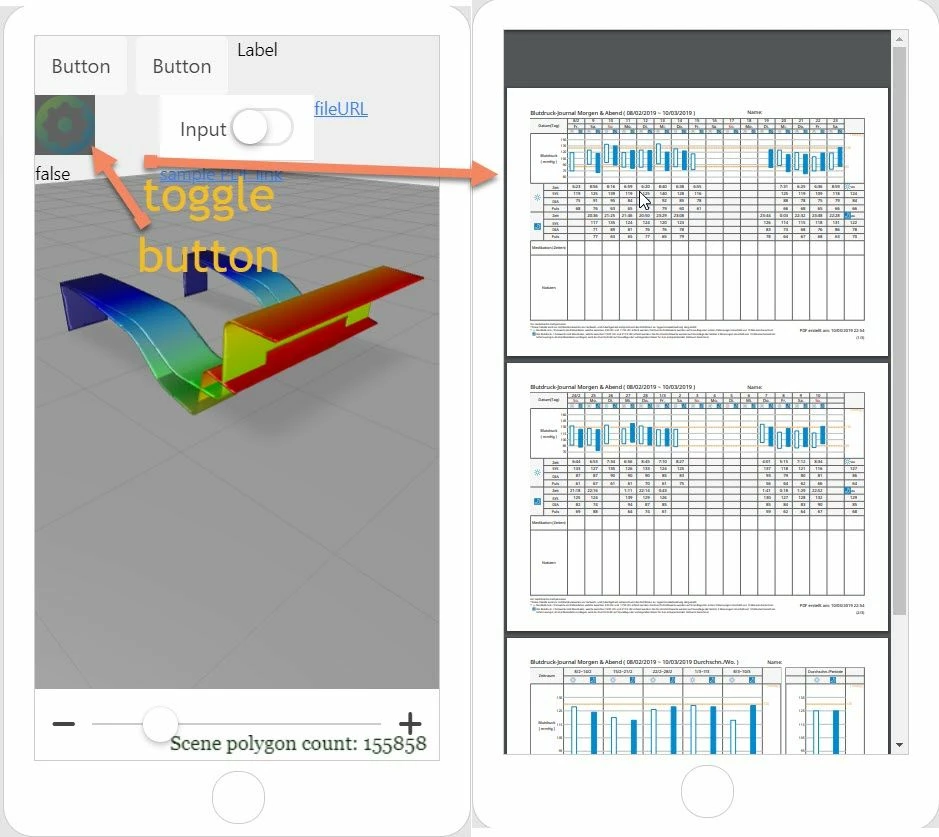
The JavaScript code for this :
 $scope.toggleButton = function() {
 //if the toggle is pressed
if ( $scope.view.wdg['toggleButton-1']['pressed']==true) {

 window.location='app/resources/Uploaded/%5BBD-Logbuch%5D20190208-20190310.pdf'
 console.log($scope.view.wdg['file-1']['url'])
 }
//unpress the toggle button after 1,5 sec
 $timeout(function () { $scope.view.wdg['toggleButton-1']['pressed']=false;}, 1500);
 }
Currently I do not know more simple method. May be, somebody could help if he knows more simple solution.
I believe there could be also a solution to use File or Hyperlink widgets and change theirs appearance (like a toggle button )via customized application styles in the class property.


