
4-Participant
July 30, 2024
Question

Question on how to use a 2D time series chart for Vuforia Studio

  • July 30, 2024
  • 1 reply
  • 561 views

Hello,

I am using vuforia version 9.14.2.0
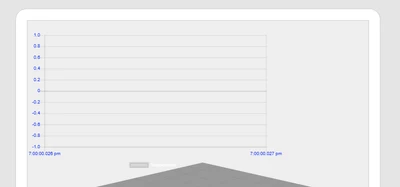
I was wondering if I could receive help on using the time series chart for Vuforia Studio. I tried to use the ptc guide, but when i followed the instructions, I didn't get any data on the chart, as well as the chart's bounds were also incorrect. Here's an image of what I currently have on Vuforia:
AV_10763160_0-1722355076099.png

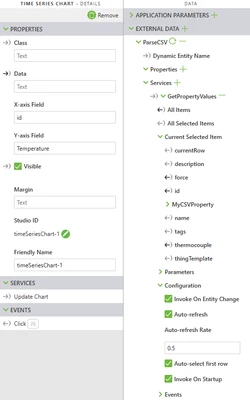
The way I've tried adding data was that from my external data tab, I used the service: "GetPropertyValues" on my thing and then dragged the "All items" as shown on the guide onto the time series chart and bound it to data. As shown in the image below, the data tab is bound to the "All Items" 
AV_10763160_1-1722355320416.png

Is there something I'm missing or doing wrong?

Thank you in advance. 

1 reply

16-Pearl
August 7, 2024

You can test it with the below instruction:


In ThingWorx,

1. create a DataShape "testTimeSeriesChartDS" with below fields:

       ID: type: long, set it as the Primary Key
       time: type: Datetime
       number: type: number
2. create a DataTable "TestTimeSeriesChartDataTable" with the above DataShape,

3. add the rows of data using the DataTable's Service "AddOrUpdateDataTableEntry"


In Studio:

1) Add a GetdataTableEntries service of the TestTimeSeriesChartDataTable in External Data

2) In the Configuration of the service, check Invoke On Startup and Auto-select first row

3) Bind All Items to the Data property

4) Bind X-axis Field to time

5) Bind Y-axis Field to number

6) Save the project and preview the experience


see below screenshot:


Jimwang_0-1723021537789.png