5-Regular Member
December 12, 2017
Solved

Tab names not visible

  • December 12, 2017
  • 2 replies
  • 2570 views

Tab widgets once placed. When I do a preview or see the experience, the tabs names are not visible until we curser over it or click on it, rest all the other tabs look blank and become visible only when we click on it. Is there a way we can make the tab names be visible all the time?

Avinash
Best answer by Giuseppe_Fiore

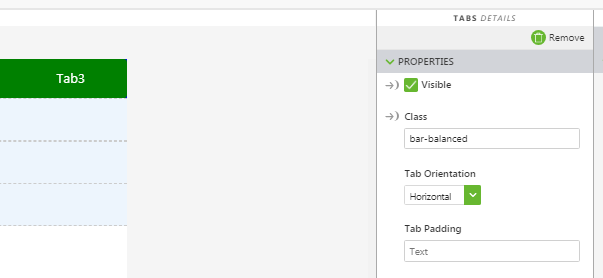
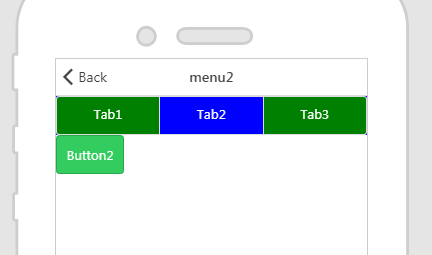
use this CSS & setting :

.button-bar {

  background-color: blue;

};

.button-outline.button-outline {

  background-color:green;

color: white;

};

Bye 

Giuseppe

2 replies

21-Topaz I
December 13, 2017

Hi Avinash. Try adding a custom CSS class to the tab widget to change the color of the text/background.

15-Moonstone
December 14, 2017

use this CSS & setting :

.button-bar {

  background-color: blue;

};

.button-outline.button-outline {

  background-color:green;

color: white;

};

Bye 

Giuseppe

agangaiah5-Regular MemberAuthor
5-Regular Member
December 15, 2017

Thank you so much. It works fine now.

Avinash