
1-Visitor
February 22, 2017
Question

Unable to install Thingworxs Studio

  • February 22, 2017
  • 1 reply
  • 1790 views

Hi,

I am operating on Windows 10, 64 bit and using Chrome to download the setup.exe file. After the download I try to run setup.exe and I get an error. Here is a screen shot:
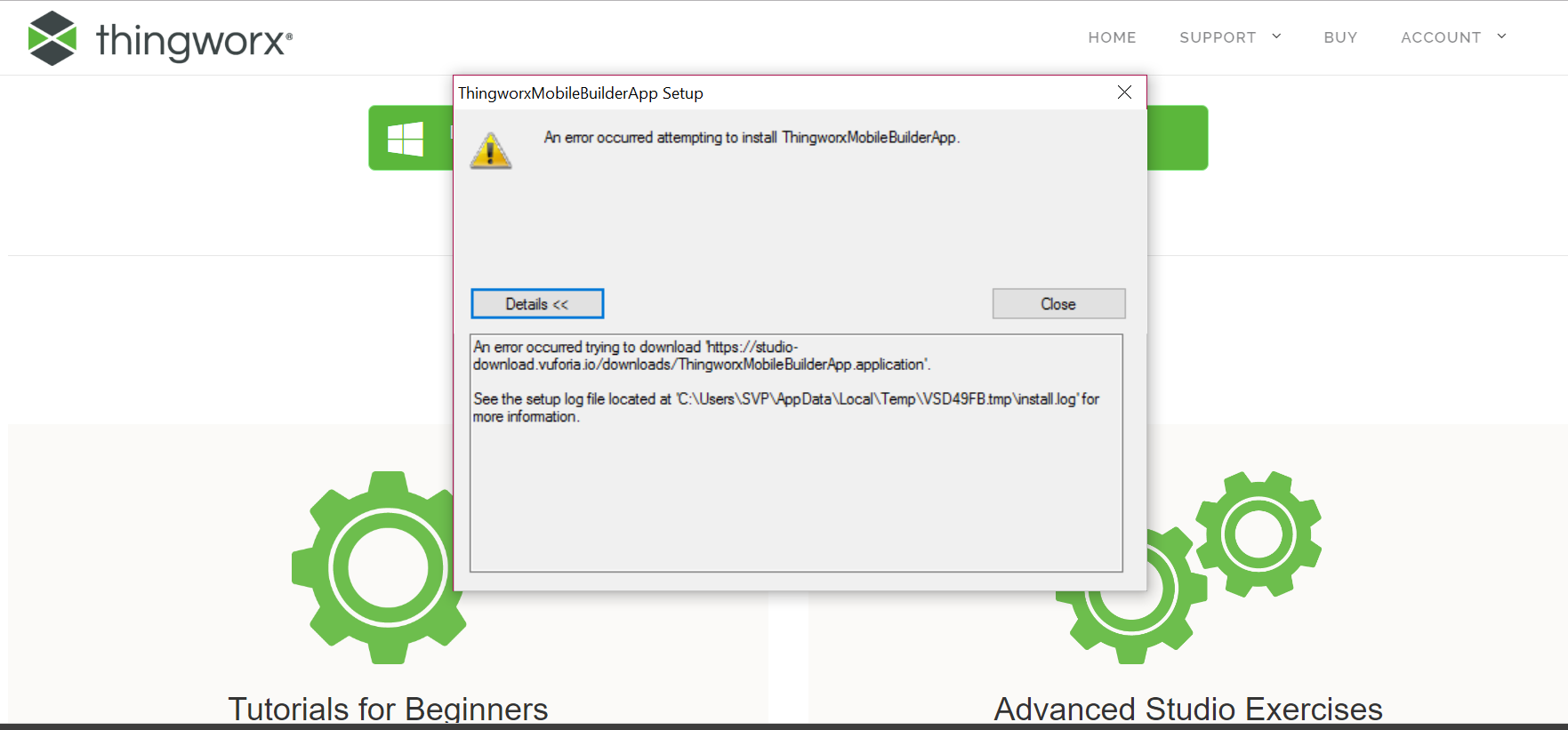
I checked the install log and found this error: URLDownloadToCacheFile failed with HRESULT '-2146697208'

Does anyone know of a solution for this?

1 reply

16-Pearl
February 23, 2017

Try opening the the URL as in the error message directly in the browser:

https://studio-download.vuforia.io/downloads/ThingworxMobileBuilderApp.application

It will be downloaded and you should then be able to continue with running the downloaded installer.

Cheers,

Michael

5-Regular Member
February 23, 2017

I would side with Michael's answer, please try the suggested URL.

Also, If I'm not wrong, you must be using Internet Explorer. If so, I would suggest to disable Warn if Changing between secure and not secure mode option, please follow the Microsoft Official post for configuration.

  • FYI, if this is the root cause, it is caused because the URL is redirected between nonsecure and secure mode.

-Giri