12-Amethyst
June 12, 2019
Solved

validating the Experience in vuforia studio

  • June 12, 2019
  • 1 reply
  • 3502 views

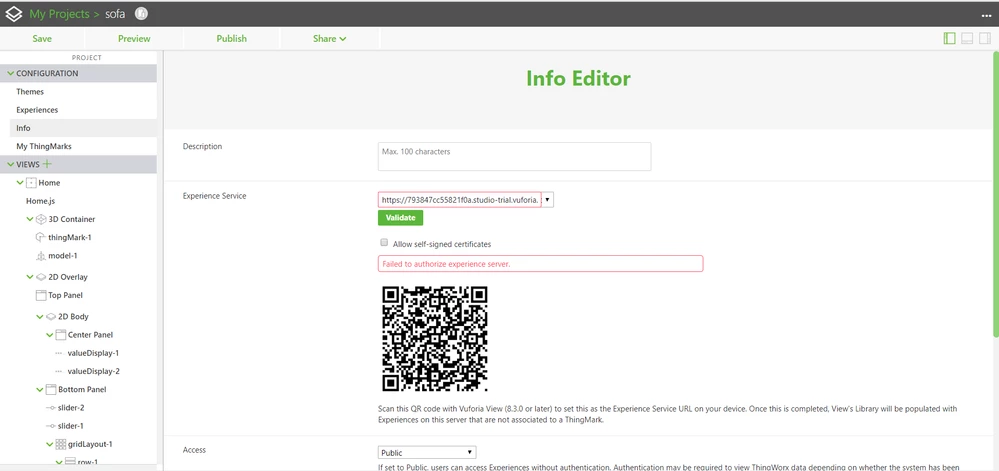
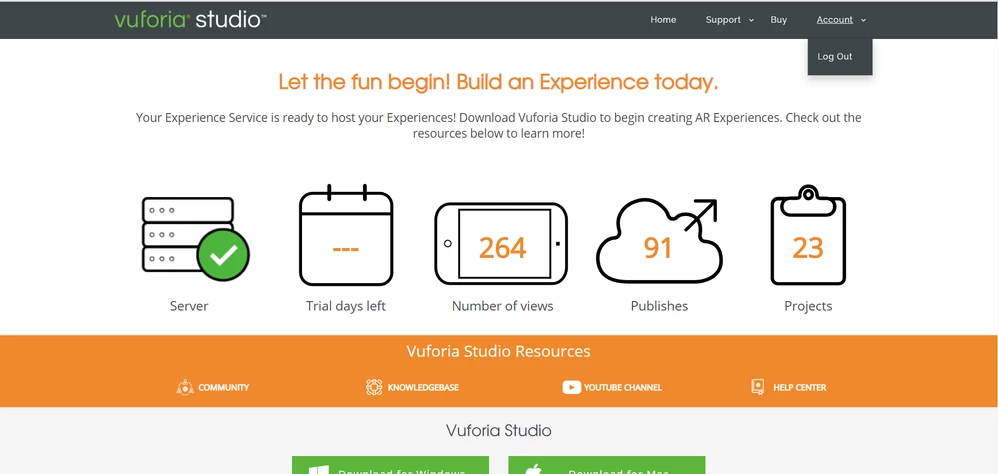
Hello,vuforia info tab.pngvuforia trail days left.png

In my Vuforia studio there is a problem. It’s not validating the Experience service in INFO tab. It showing error as I attached the image in the attachments. Now I am using the trail version of Vuforia studio which is already extended my time but it’s not showing the TRAIL DAYS LEFT as I attached the image in attachments can you please check it and help me in this.

Best answer by ytella

Hi @thrinath,

The trial status of the server is active. The instance is much past it's expiration date, which may be the reason for empty blanks in the Trial days left icon in https://trial.studio.vuforia.com/

Could you please delete the builder-settings.json file under C:\Users\<your username>\Documents\VuforiaStudio folder and restart the studio application. 

1 reply

17-Peridot
June 12, 2019

Hi @thrinath ,

Please share the studio log file and experience service URL to track the issue. Also, please key in the ES URL in a web browser in the below format and share the screenshot:

https://<es-url-hostname>/ExperienceService/username

thrinath12-AmethystAuthor
12-Amethyst
June 13, 2019

Hi @ytella 

I am sharing the studio log and experience service URL in the attachments to track the issue.And also i tried to place ES URL in a web browser it showing username & password i entered valid username & password it showing error.

vuforia info 1.pngerience service URlog 1.png

17-Peridot
June 13, 2019

Hi @thrinath ,


Could you please navigate to Project -> Info panel and  uncheck the Allow Self-Signed Certificate option and click validate. Also, please enter your ES URL in the below format in a web browser and share the screenshot with me.


https://<es-url-hostname>/ExperienceService/username

  • This URL requires authentication and should display your username in the browser window after successful login as shown below: