

9-Granite
August 16, 2022
Solved

Vuforia View Installation for all Users of one PC

  • August 16, 2022
  • 1 reply
  • 2215 views

Hi,


I would like to install vuforia view for desktop win10. That PC will be used by many users.

So far that I know, there are 2 ways to install:


1. using SCCM via PowerShell - if no sideload apps option

nurathirah_0-1660626017042.png

To install for all users of particular PC,  is it require to use below command instead of add-appxpackage command?

Add-AppxProvisionedPackage


2. using Win10 installer - need to enable sideload apps in developer option
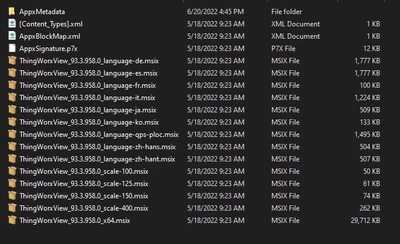
nurathirah_2-1660626143550.png

How to install this for all users?


Thanks.

Best answer by Jimwang

If you have installed Vuforia View and could start it successfully, then you can go to <UserProfile>\AppData\Roaming\Microsoft\Windows\Start Menu\Programs\PTC Inc, the shortcut is under this folder by default.

The alternative way is, go to Start, and search Vuforia View, then drag it to Desktop, it will create a shortcut under Desktop

1 reply

16-Pearl
September 1, 2022

What is the purpose do you install Vuforia View in Desktop PC?

Please note the support devices of Vuforia View:

https://support.ptc.com/help/vuforia/studio/en/#page/Studio_Help_Center%2Fcommon%2FViewSupportedReq.html%23

9-Granite
September 1, 2022

Hi @Jimwang ,


We have Mechanical Assembly station which have an external camera connected to a set of PC (OS: Windows 10).

Operators are going to view AR guide using that PC. They also have their own account in order to logon to the PC.

Hence, it is required for all users to have Vuforia View installed under their account in the PC.


Currently I'm using below installer for Windows:

nurathirah_0-1662017070164.png

https://support.ptc.com/help/vuforia/studio/en/#page/Studio_Help_Center%2Fcommon%2FWindowsIntro.html%23


Thanks.

16-Pearl
September 1, 2022

You can use the Admin account to install it. After the installation, you can create a shortcut of Vuforia View, then copy and paste the shortcut under a shared folder so that everyone can access to the shortcut.