

1-Visitor
August 8, 2018
Question

Wrong coordinates

  • August 8, 2018
  • 1 reply
  • 1673 views

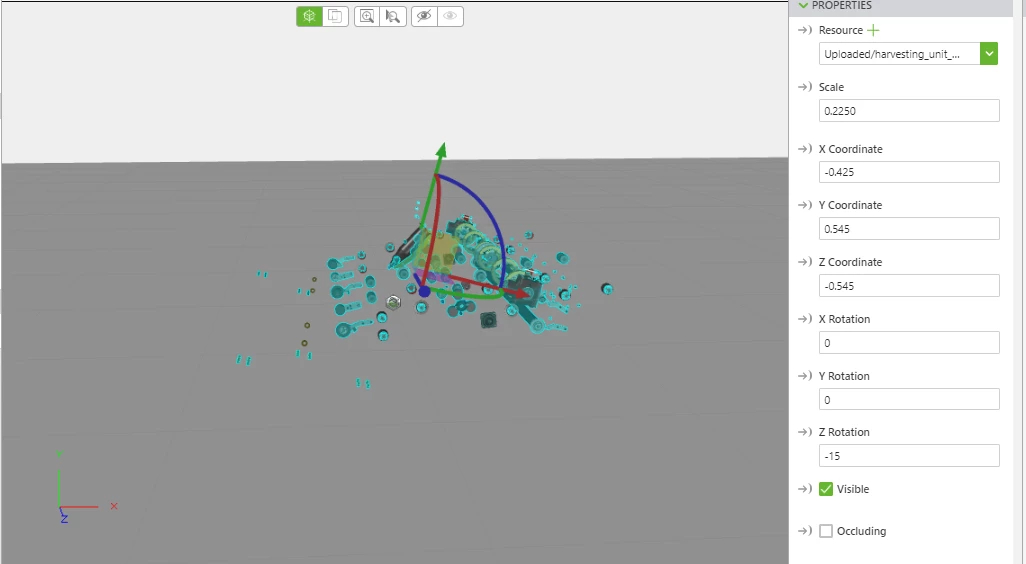
I have a experience and putted in some random  coordinates (X,Y,Z and X rotation, Z rotation) evenrything appeared (from one view perspective) good, so I adjusted some more and my model was totally wrong. I than setted my previous coordinates back (took screenshot before change) but the model appeared totally somewhere else anybody an Idea on how to fix this? In this image you can see my model with the original coordinates.
Capture.PNG

1 reply

17-Peridot
August 8, 2018

Hi @dieter,

Please change the x,y,z coordinates to 0,0,0. This will make the model appear to the center of the canvas. Let us know if it helped! 

dieter1-VisitorAuthor
1-Visitor
August 13, 2018

@ytella

If I put the model on 0/0/0 its way of and its almost impossible to see the model together with the marker. As you can see in the picture the model is way to low and when you look at it in the viewer it appears  behind you.


position0.PNG