Community Subscriptions and Notifications
Introduction
You can be notified by email of new activity on a board or a topic using the subscription feature.
Board level: when you subscribe to a board (Forum, Product ideas, Tips, Group), you will be notified each time someone starts a new topic or conversation. Any further engagement on each topic will not be notified.
Topic level: if you want to receive notification for all posts / replies / comments posted on a particular topic, you will need to subscribe to that topic.
Please note that if you start a topic, you will be automatically subscribed to it and you will be notified each time there is a reply.
If you are replying to a topic and you are not already subscribed to it, this action will subscribe you to that topic. You will be notified of subsequent replies on the topic (with a caveat).
1 - Subscribe to a board
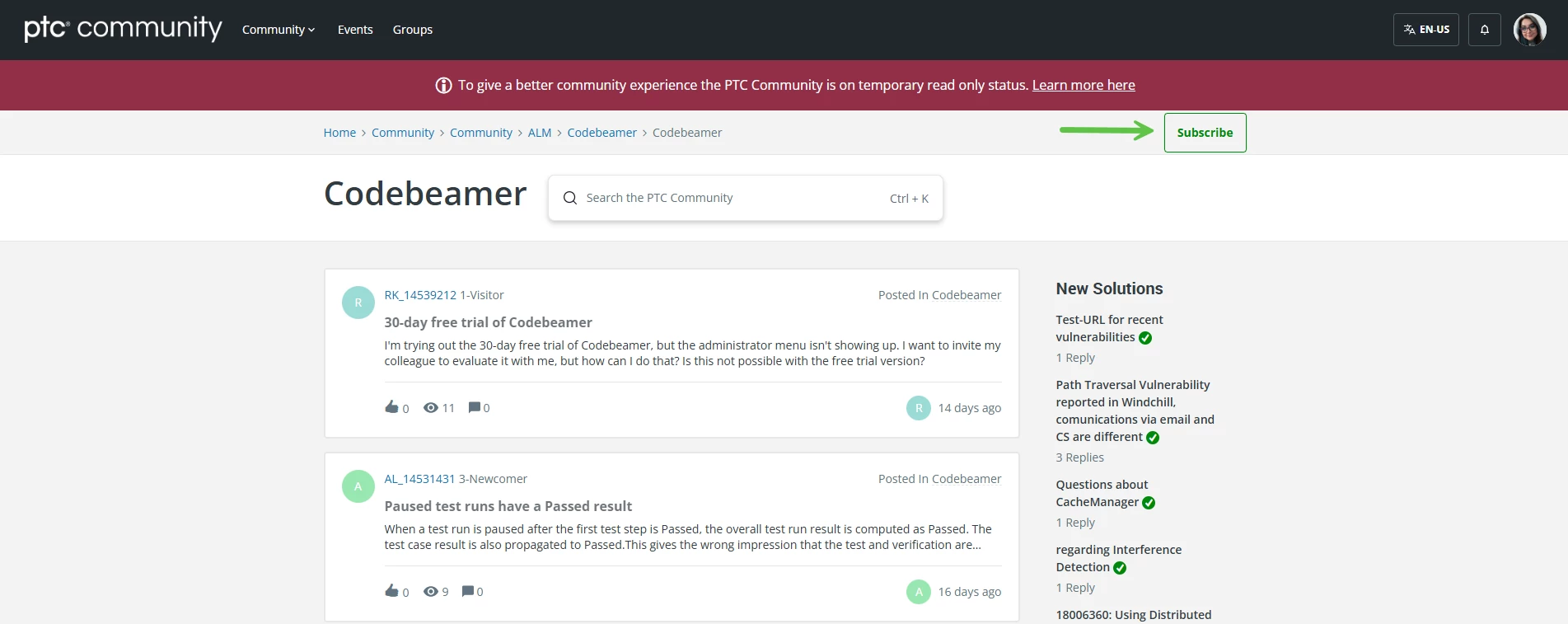
1. Go to the board you want to subscribe.
2. Click on “Subscribe” at the upper-right corner.
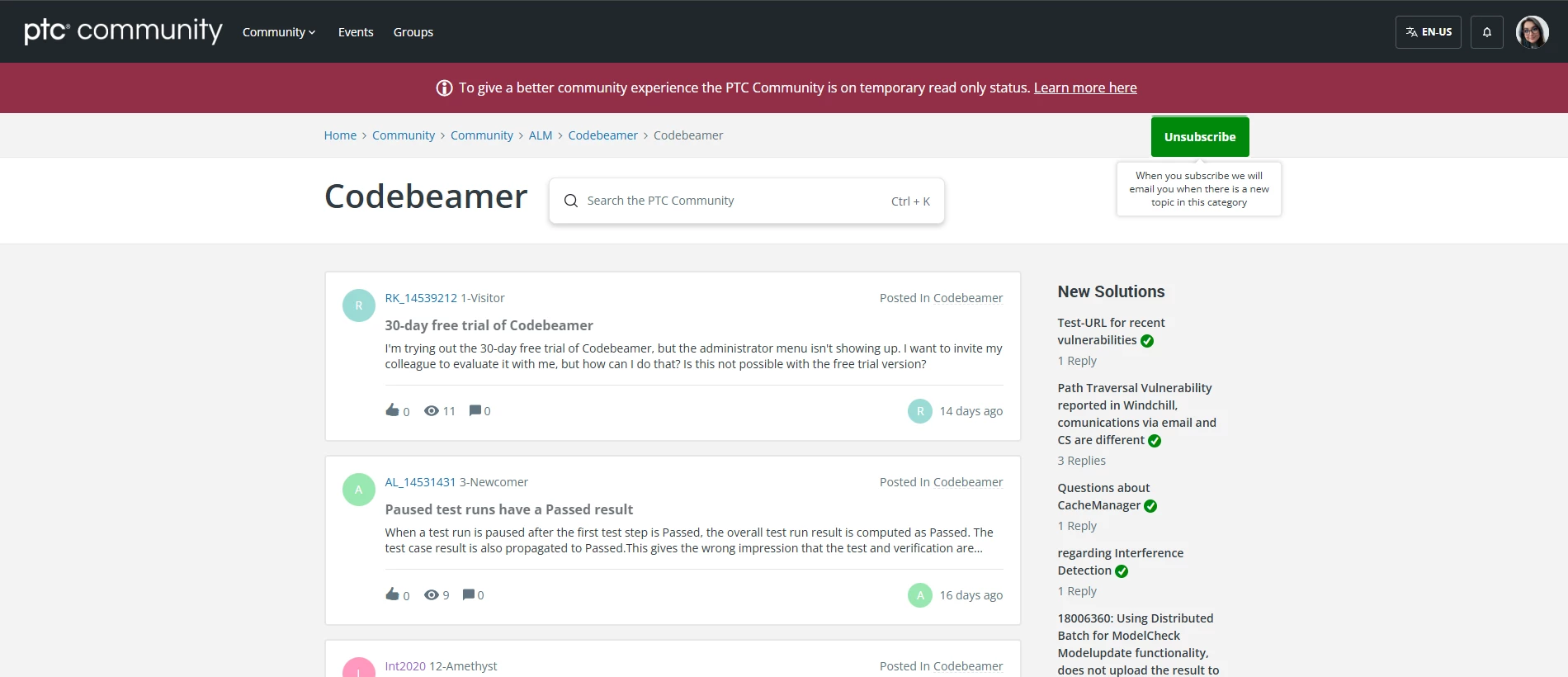
3. The subscribe is successful when the button turns green and to “Unsubscribe”. You will then receive an e-mail notification each time a new topic is posted on the board (category).
2 - Subscribe to a topic
- Go to the topic you want to subscribe.
- Scroll down and under the “Tags” you will see and click on the “Follow” button.
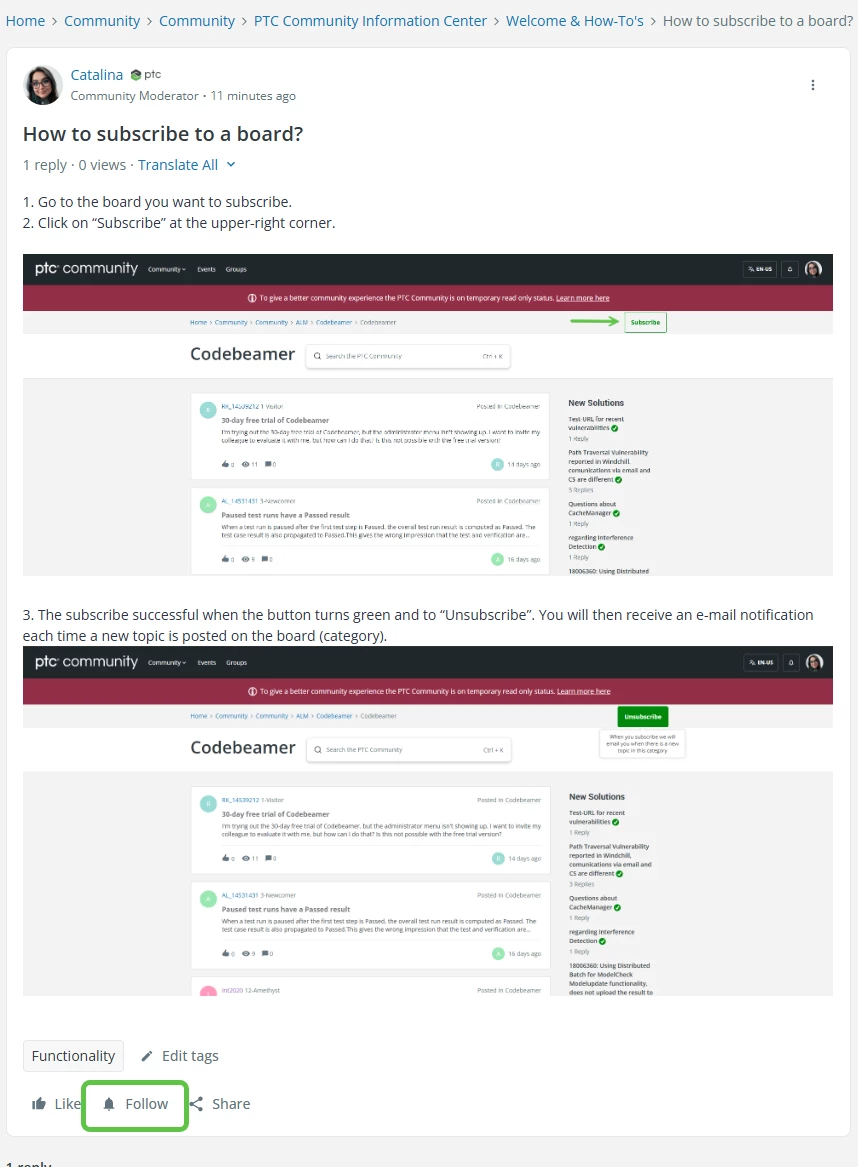
- You are successfully subscribed when the button turns to “Unfollow”.

- You will be notified by an e-mail once someone replies to your topic.
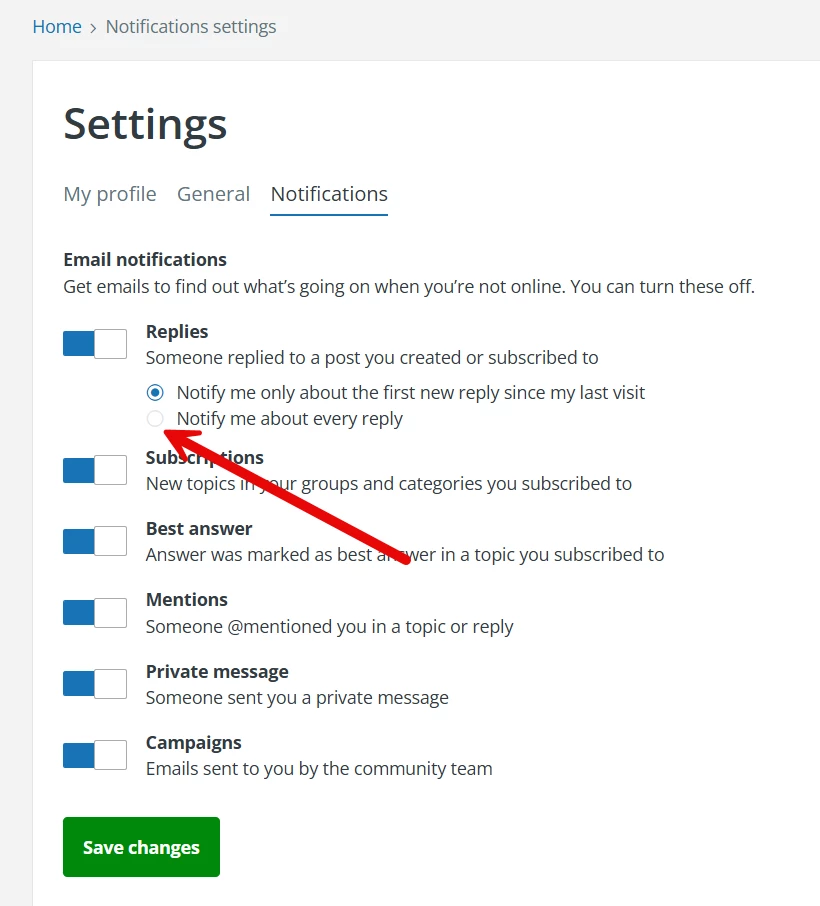
Important: by default, you are subscribed to the FIRST reply. To be notified of all replies, you need to change this default setting here
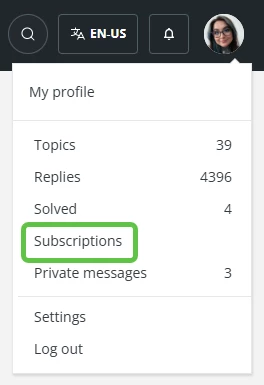
- You can view the topics you’re subscribed to by clicking your profile picture at the top, then “Subscriptions” in the drop-down menu.
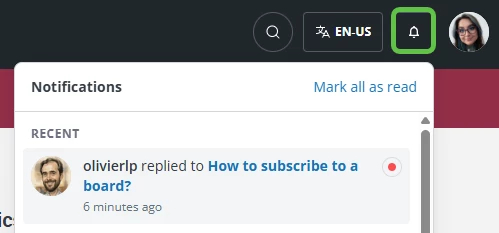
- You can also see your notifications on the Community itself. Click on the bell icon as shown below.