


Question
How to Change PTC Community Username (Screen Name)
Newly registered PTC Community members (after August 28th), are system assigned a temporary PTC Community username (aka screen name) which includes a combination of letters and numbers unique to each individual. To optimize the PTC Community member experience, we encourage each member to change the default username to something more creative or personal (i.e. CADMGR, JSmith, Sally_456).
To change your username, follow these steps:
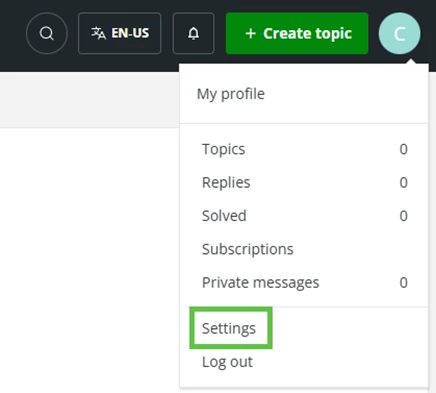
- Select “My Settings” from your profile picture in the top menu bar.
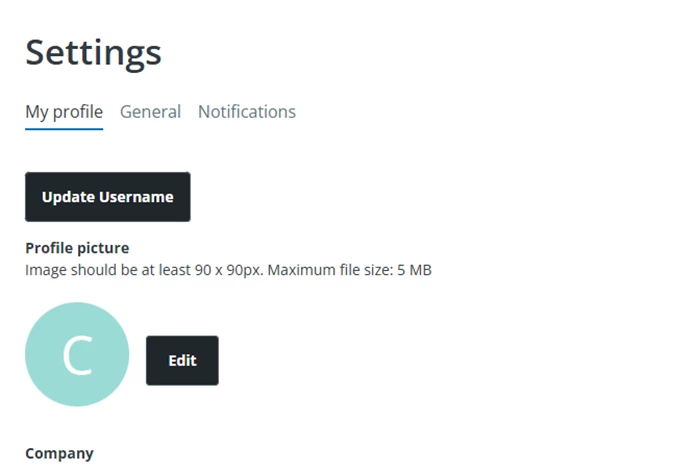
- Click the “Update Username" button and then "Save".
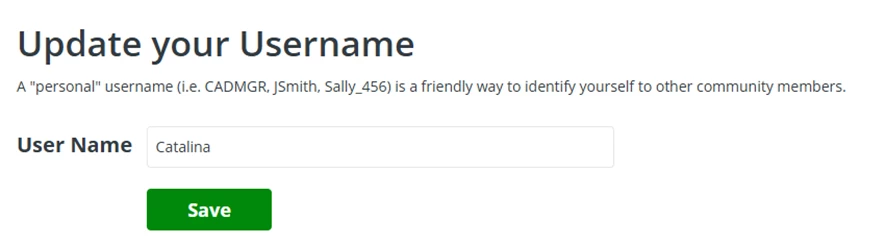
3. Enter your desired username and click "Save."
Last edited by Catalina, April 2026