11-Garnet
September 24, 2015
Question

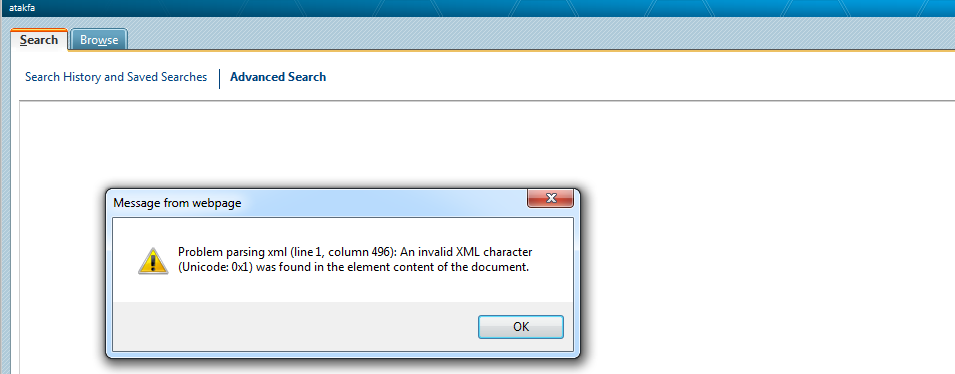
Advanced search throws an error: An invalid XML character was found in the element content of the document

  • September 24, 2015
  • 4 replies
  • 1668 views

It is in 10.2 M030.

User has access to WTPart in the question of search. Advanced search > input Part number > hit search button. Exception window thrown. Image attached. 

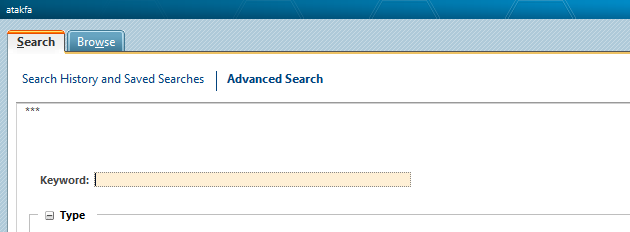
I could notice *** when user returns back from failed search, attached second image.

It happens to only one user and for specific part number. Your feedback appreciated.
SearchResultException.tifSearchResultException1.tif

Thanks

Ayyappan

4 replies

13-Aquamarine
September 24, 2015

I found a reference to a case where a user was seeing the same error message. The issue turned out to be an invalid character somewhere in the user's search history. Clearing the user's search history resolved the issue.

23-Emerald II
October 1, 2015

Hello Ayyappan,

Was Chris' suggestion helpful? Were you able to get the issue resolved?

11-Garnet
October 1, 2015

Chris & Lori,

I have taken quick at the answer. It seems logical.

I didn't see a way to delete search history through UI. Wondering that the only way to go by DB script?


I am interested know if anyone done cleaning up users search history.

Thanks

Ayyappan

23-Emerald II
October 1, 2015

I don't think it's possible to clear the search history via the UI in this case.

You can try the following to do it at the DB level:

1. Back up the SearchHistory table (e.g. create table SearchHistory_bkup as select * from SearchHistory)

2. Run the following SQL:

     delete from SearchHistory where ida3b4=<IDA2A2 value of user>;

     commit;

3. If it still fails with the error back up the SavedQuery table (e.g. create table SavedQuery_bkup as select * from SavedQuery)

4. Run the following SQL:

     delete from SavedQuery where ida3a4=<IDA2A2 value of user>;

     commit;