
1-Visitor
December 11, 2013
Question

Applet not loading in Workgroup manager

  • December 11, 2013
  • 1 reply
  • 6363 views

Hey guys,

I've been mucking with this for a day or so now. I installed the workgroup manager for Windchill 10.1, and everything was fine. I believe this started after I installed Creo View.
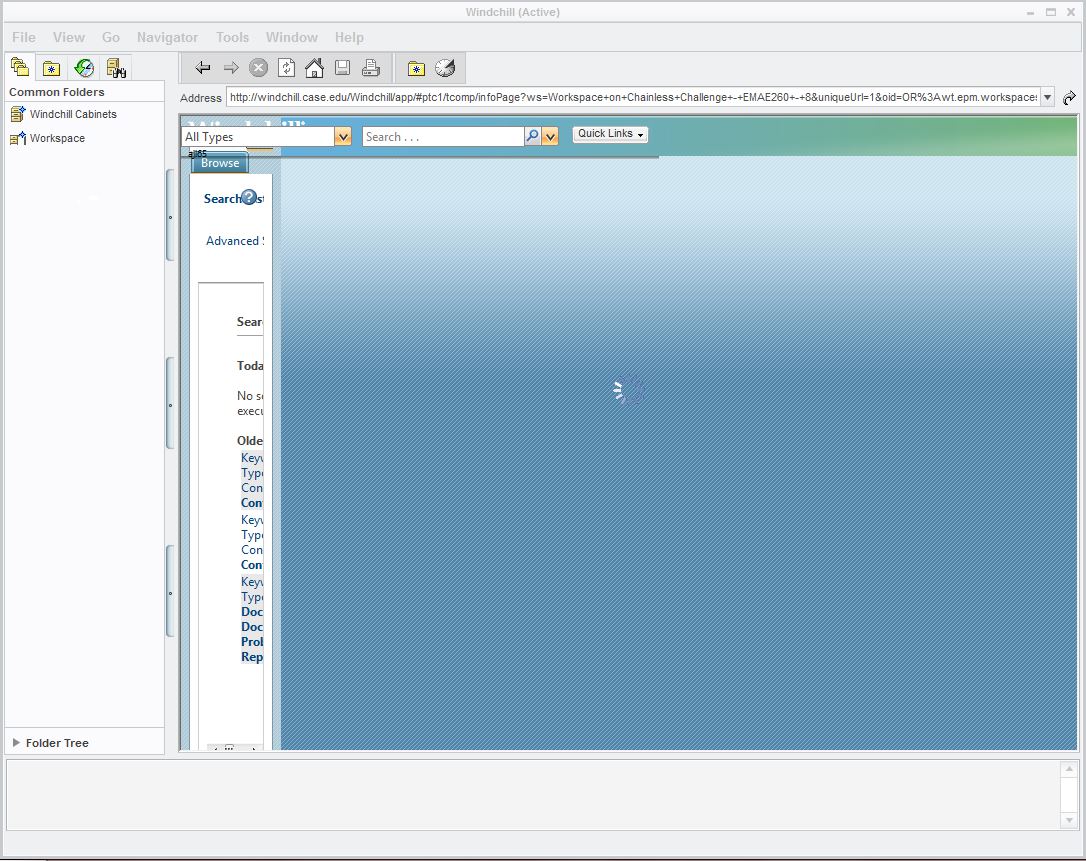
Capture.JPG

It gets this far, and then stops loading. The pinwheel in the center keeps spinning, but I can't access anything further. I've tried uninstalling and reinstalling all PTC products, and I deleted the entire PTC folder in Appdata/Roaming. Everything actually runs fine with regards to saving/opening files from windchill in Solidworks. (the DTI is also working fine, although my guess is that doesn't matter). It's not a huge deal, the applet still runs on chrome. I'm just the type of person that this sort of thing annoys to no end.

Any thoughts?

1 reply

7-Bedrock
December 11, 2013

hi,

check Windows update - if you've got IE 11, that could be the cause.

cheers,

Jure.

1-Visitor
December 11, 2013

That didn't change anything, except that now I have the worlds shittiest browser off my computer. For the record, my workspaces seem to lag between the DTI files, what Solidworks thinks is available in my workspaces, and what is on the applet when I access it with chrome...

Also, the WGM seems to think I'm operating Windows NT. While I believe that Windows 7 is a member of the NT family, I would expect to see Windows 7 listed as the OS under "Technical Support Information." I wouldn't have said anything, but I am now finding .dat.log2 , .dat.log1, and some other really unsual files in my Users/Austin folder. Maybe I'm just paranoid now.

7-Bedrock
December 12, 2013

well, IMO, IE 11 is something that is NOT to have. Some of our customers have got it within Win update, and report us that some problemes aries working with Creo 2.0 WS.

You can also try with CreoView 3.0. Avaliable at download center:

https://www.ptc.com/appserver/auth/it/esd/product.jsp?prodFamily=DVV

J.