

1-Visitor
January 21, 2016
Question

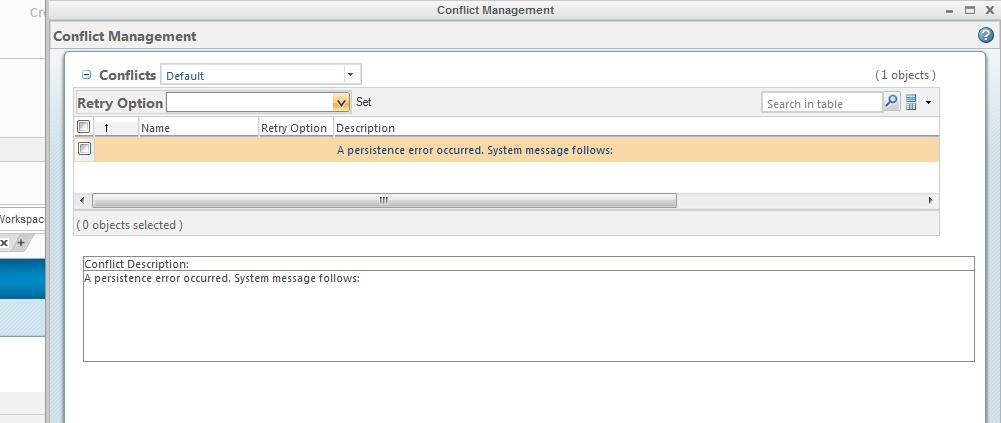
Attempt to check in files fails, get message: A persistence error occurred. System message follows:
  • January 21, 2016
  • 4 replies
  • 11654 views

persistence error.jpg

One of the engineers here is attempting to check in models - check in fails and he gets the following message:

A persistence error occurred. System message follows:

He is unable to find the system message to give a clue as to the failure... any thoughts?

4 replies

1-Visitor
January 21, 2016

Are the other users able to check in files? This sounds like a database issue. Do you see something in the method server logs? Error looks similar to a bug 10.2 M030 with delete workspace

gchapman1-VisitorAuthor
1-Visitor
January 21, 2016

I did find the persistence error occurred line

method server log 1-21-16.JPG

1-Visitor
January 21, 2016

Looks like index is corrupted. After your DB backup try the below

SELECT

OBJECT_NAME,

OBJECT_TYPE

FROM ALL_OBJECTS

WHERE OBJECT_ID = 30101;

If is an index, try rebuilding it

ALTER "INDEX_NAME" INDEX REBUILD ONLINE;

Thank you

Binesh Kumar

1-Visitor
January 22, 2016

The last time I received this error I had to check out the WTP's in the same Workspace and check the asm in.  The WTP's got checked in at the same time.

1-Visitor
November 21, 2017

Dear gchapman,


Did u resolve this issue?

I'm facing same error while trying to check out the files.

Can you please help out with the solution.


Thanks in advance.


Regards,

Sumanth

10-Marble
June 8, 2021

Had this issue today.  Same as all no real information as to the cause of the error.  Was checking out a EPMdocument along with 24 WTparts that were associated.  The workaround was to add the objects to a workspace.  Then I checked out only the EPMdocument.  Then I checked out all of the WTparts except the two that was causing the issue.  Then I checked out the last 2 WTparts with no error.