

15-Moonstone
June 20, 2019
Question

CAD represented parts that do not have a representation

  • June 20, 2019
  • 2 replies
  • 1382 views

We have this issue with CAD represented parts which do not have representation, is there anyway, out of a full vehicle BOM, to determine which parts are missing representations so we can set about fixing them?
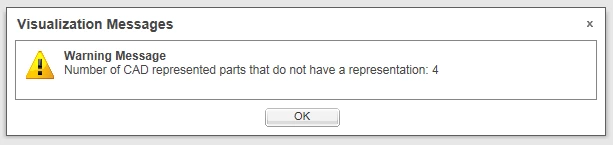
 

CAD represented parts.png


2 replies

1-Visitor
June 27, 2019

@khimani_mohiki 


I think when I encountered an error like this, I would just republish the topmost assembly and all items under it.  But perhaps you are wanting to avoid that, I'm not certain.


James

15-Moonstone
July 4, 2019

I had a solution from Robbie Morrison at PTC, in summary, CAD represented parts without representation will have an attribute 'no_representation' = True, so you can search on this in Creo View or in Structure tab if the attribute has been made visible. In our case when searching in WT structures our WT assemblies all showed as having 'no_representation' = True because they were just structure, so it was necessary to use a multi-line search in Creo View for the Existence of both 'no_representation' and 'CAD_represented_part'