


Question
Child objects are not showing for the data imported
I am using Windchill PDMLink Release 13.0 and Datecode with CPS 13.0.2.3
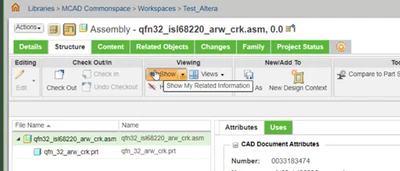
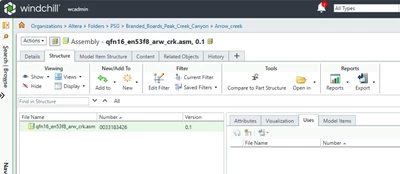
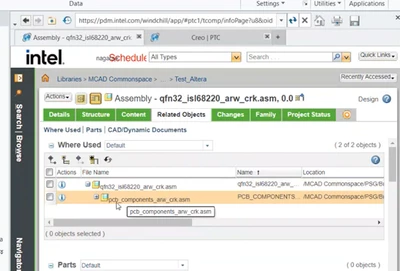
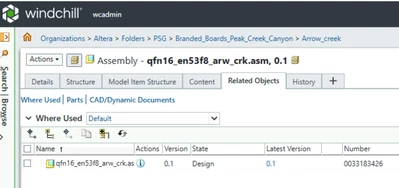
After Importing the CAD Data in the Windchill, references are missing. For the assembly child objects are not showing and in Whereused tab the objects are not listing.
Here are the errors that I faced
While Importing the data errors where showed as
2025-04-29 09:31:27,324 INFO [Thread-22] wt.system.out wcadmin - ApplicationImportHandlerForJar: storeLogMessage: USER LOG: <"EPMDocument: tsop-6_arw_crk.prt ( 0033183376 ) 0.0" cannot be imported because the revision "0" is invalid. >
Which was resolved and then data was imported
After this import on source server
On Target Server
On Source server
On Target Server
BR,
Saurabh