16-Pearl
June 30, 2017
Solved

Copy and Paste users into CR Team

  • June 30, 2017
  • 2 replies
  • 4562 views

We require that authors of Change Requests populate the Change Review board (CRB). As most users submit CR's to the same people every time, its helpful for those users to Copy a list of users from a role from one CR into anther. 

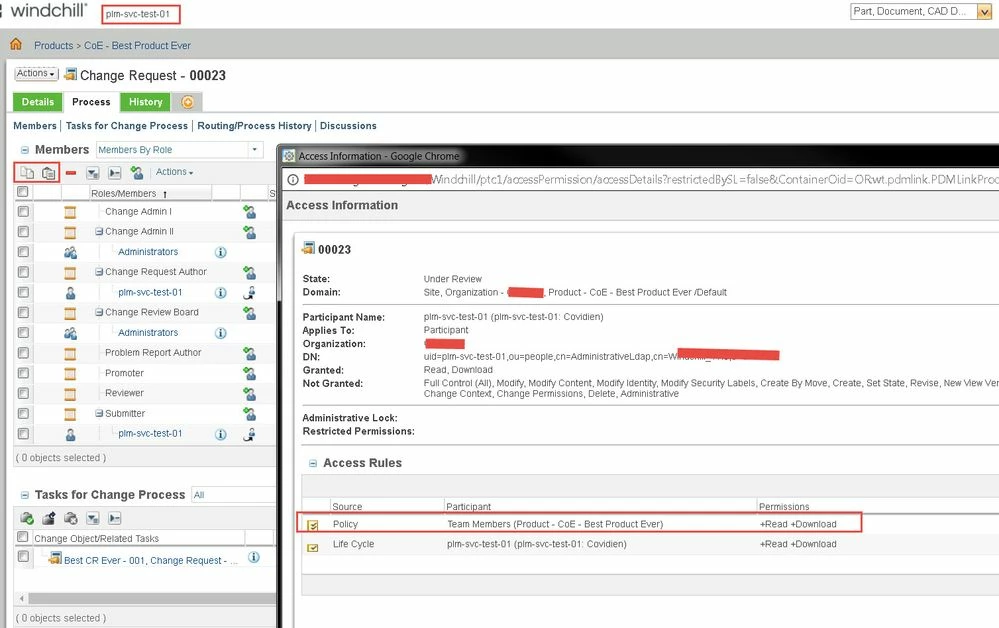
The users in the same role in M010 can do this, but for some reason the users in M020 cannot do this. They do not see the icons for paste. They do see copy.


I have checked the Configuration Actions for Roles and do not see anthing obvious that would hide the paste icon. I have also checked the Access Policy - again nothing that would hide the action.

I am using the same CR workflow and Team.
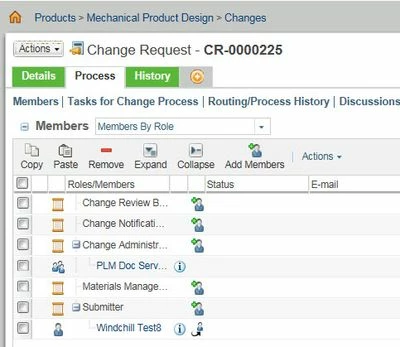
Doccontrol CR View.jpg

This is what the CR author users see:
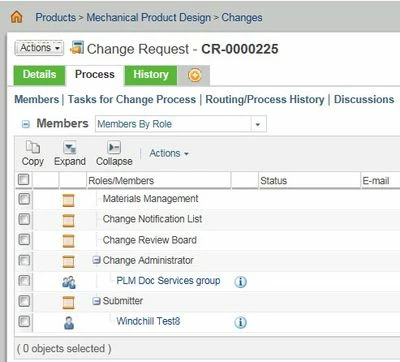
CR author view.jpg

Those same CR authors can edit the CR and they can edit the team on the task to submit the CR:
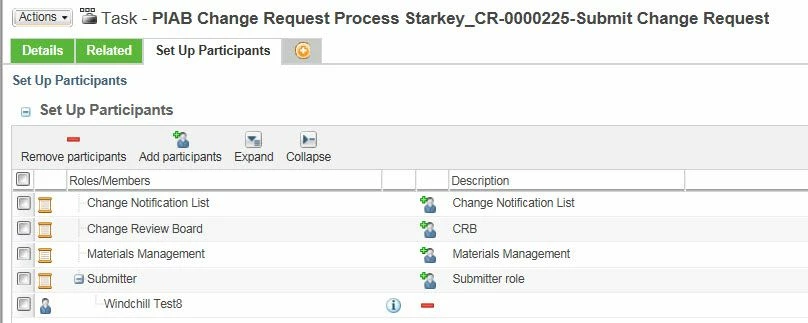
Submit CR view.jpg

Best answer by BineshKumar1

Tried it on a "members" role and it works great.


cov.jpg

2 replies

1-Visitor
July 2, 2017

Correct me if i am wrong.

When user is creating change request he is able to edit the team.

So if you don't want to allow user to change the team go to activity -->role setup and change the configuration of Set up participants.


or i have also checked for paste option in the Change request it is only availble to Administrators not for other users.


I am suggesting you to add the resource pool to roles from Work flow activity Submit Change Request.

This will allow to change request submitter to add the team members as per the requirements.

To add the members to resource pool go to team administration and add the users in the required roles. and in WF activity select that team in Resource pool tab.

lgrant16-PearlAuthor
16-Pearl
July 3, 2017

This is a change that I see from my test enviroment on M010 (that has the ability to copy and paste on the CR team) and M020 where the paste icon is gone. The users can modify the team on the submit Change Request task, they just cannot modify on the CR!

I have checked the Policy Admin and M010 and M020 are the same for that Role.

Its also the same workflow and Team.

1-Visitor
July 5, 2017

This is because your CR authors do not have modify access to the team. With out this access control, the only way to modify the team is using a setup participant task.

If you have a use case where you want a specific role to modify the team, then you need to grant modify access to the team in the system domain. 


Say you want Change Admin I to modify the team, you need to have something similar to the below in your policy.  Remember this is a global policy for team, with this role will be able to modify any teams to which they have access to it, you can of course filter to allow on certain states. 

 modifyteam.jpg

lgrant16-PearlAuthor
16-Pearl
July 5, 2017

The users have access to Copy and Paste in the configuration actions per role in the Team. 

I added the ability to Read, Modify "Team" and also "Container Team" for that same Role. I did this at the Org level and then again (after testing) at the Site level. No affect.

They can still not Paste in the CR process tab. They can also not modify the Team on the Product/library team view.

In M020, if I add Modify Team on the Config Actions Per Role, then the user can modify the Team page but they still cannot modiy the Team on the Process Tab of the CR.

This makes me think they are not the same "Team" as I use a team template on the Change Objects.


We cannot give users the ability to modfy the Product/Library team.

1-Visitor
July 5, 2017

Just to confirm did you add the permission in the /System domain?