February 8, 2016
Solved

Find tab not coming in part info after inserting new classification attribute

  • February 8, 2016
  • 5 replies
  • 1885 views

how to add find tab in classification tabclassification.PNG
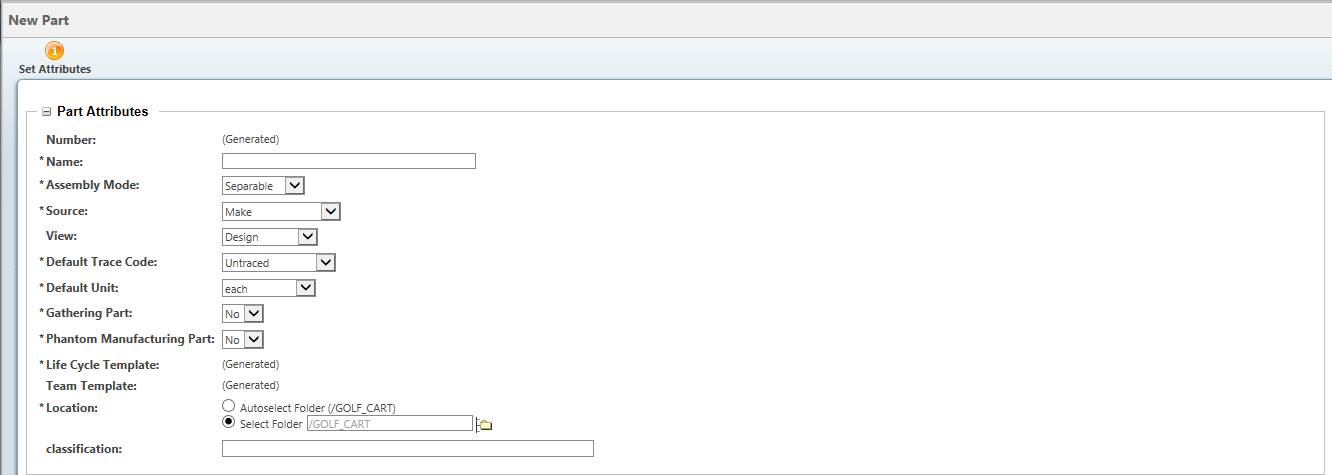
Here in classification tab find option ins not found

Best answer by CaitlinWheeless

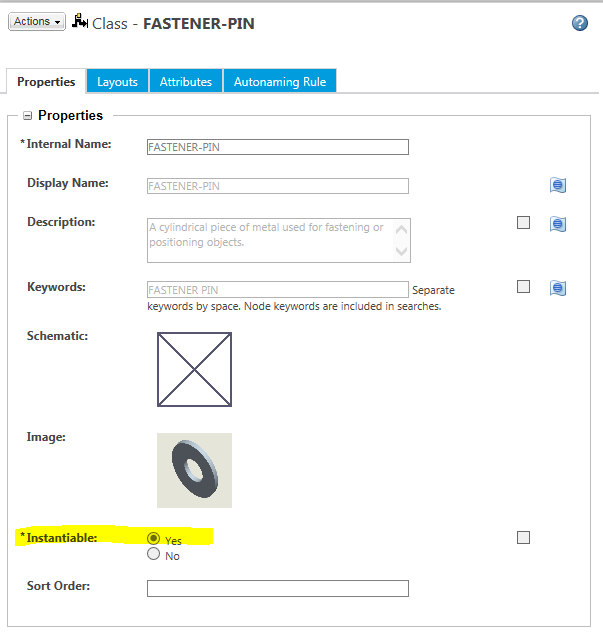
Go to Classification Administration > Manage Classifications

Click on one of the node names you would like to be able to use

Under Properties, is Instantiable set to Yes?  At least one node has to be set to Yes.

Instantiable.PNG

5 replies

1-Visitor
February 8, 2016

Is the classification structure empty (have you defined nodes yet?)

And are you sure you set up the binding attribute correctly using the com.ptc.csm.default_clf_namespace constraint:

http://support.ptc.com/cs/help/windchill_hc/wc110_hc/WCClassAdmin_DefineClassBindingAttr.html

February 9, 2016

I am binding attribute correctly pl check snap

123.PNG

February 9, 2016

still its showing blank tab