1-Visitor
November 10, 2014
Solved

Folder Customization in Windchill

  • November 10, 2014
  • 2 replies
  • 5394 views

Hi!,

I want to know if there's a rule or a way to upload specific file on spefic folder automatically?

For example: I have CAD FILES folder. This folder only accept (.prt, .dwg, .asm) file

DOCUMENT folder. This folder only accept .doc, .pdf, .csv) file

If the user upload .doc file in CAD FILES Folder it will not accept it and point to the DOCUMENT folder.

Is that possible?

Thanks in advanced!

Best answer by Anand

Hello Luar,

Please check if you have the access to Team option Team.bmp

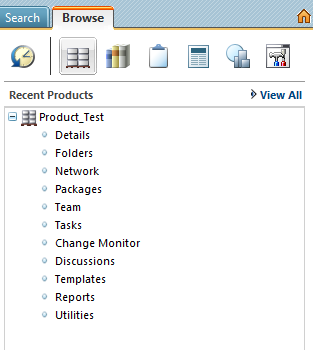
Once you click on Team option you need to add yourself to the role Product manger

By the way or you an end user or an administrator ?

Regards,

Athmanand

2 replies

1-Visitor
November 10, 2014

Hello Luar,

Using the Policy administration you can achieve this, but it will be time consuming,

You can create a new domain and give access to only specific subtypes ( like, CAD files or Documents )

Then apply the new domains to the repsective folders using folder > Edit > Navigate to the respective domain which you have created.

Let me know if this is not clear

Thanks

Athmanand

Luar1-VisitorAuthor
1-Visitor
November 11, 2014

Hi Athmanand,

I create new domain in policy administration. How to how to set subtypes on my created domain? can you teach me how to do that clearly?

Thank you.

1-Visitor
November 11, 2014

Hello Luar,

Once you create a new domain, select the domain click on update which will open up administrative domain page, Click on Access control option and then select Create from the right hand side which will pop up another page which will prompt you to select the Subtype as shown below

From this page you can select the Sub type and then you can also select the users and the respective access control can also be defined.

Once you are done with this click on Finish or Apply

After this map the folder to the domain which you have created. this will take care of what you need

Thanks

Athmanand

1-Visitor
November 12, 2014

Hi Luar,

You need to be a library administrator to perform this

Thanks,

Athmanand

Luar1-VisitorAuthor
1-Visitor
November 12, 2014

Hello Athmanand,

How to be a library administrator? there is no library administrator in participant policy.

Thanks,


Anand1-VisitorAnswer
1-Visitor
November 12, 2014

Hello Luar,

Please check if you have the access to Team option Team.bmp

Once you click on Team option you need to add yourself to the role Product manger

By the way or you an end user or an administrator ?

Regards,

Athmanand