

Help: FTA Report template does not work because it is empty error
Version: Windchill 12.0
Use Case: I have make a print with the minimal cut sets of a FTA. For it, I used a FTA report template from another existing project, copying the template into the project with the FTA for which I want the print.
Description:
Version: Windchill 12.0
Use Case: I have make a print with the minimal cut sets of a FTA. For it, I used a FTA report template from another existing project, copying the template into the project with the FTA for which I want the print.
Description:
I have to make a FTA report that prints the minimal cut sets of a FTA. In order to do that, I copied into the current project a FTA report template that was created and used for another project of similar characteristics.
The problem is: when I try to use said template for the FTA report in this project, the template does not work, instead it appears a message saying "The report (report template) cannot print because it is empty".
I have tried to copy my file in the other project where the template works and use the template there but while it works for the other files, for my file specifically it still does not work and instead the aforementioned message appears.
I have also tried to create a new file to check if it would work with it, but it does not work either.
How can I solve this problem? Or in the case there is not a solution, how can I create a FTA report template for printing minimal cut sets?
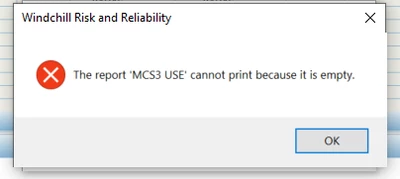 (Photo of the error message)