14-Alexandrite
September 29, 2022
Question

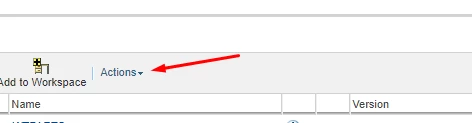
How to add new actions dropdown in toolbar?
  • September 29, 2022
  • 5 replies
  • 1548 views

onur_0-1664369760408.pngI want to add a dropdown that I created to the toolbar, how can I do it?

5 replies

HelesicPetr
22-Sapphire II
September 29, 2022

Hi @OnurNalbantoglu 

Help describes how to add additional actions to a table

Try it.

Help Link


important think is to add the actions to a table {table.setMenubarName (“folders table menubar”);} you don't use a setActionModel


public ComponentConfig buildComponentConfig (ComponentParams params) {
 ComponentConfigFactory factory = getComponentConfigFactory ();
 JcaTableConfig table = (JcaTableConfig) factory.newTableConfig ();
 // add the menu bar action model to the table
 table.setMenubarName (“folders table menubar”);
 ....
 return table;
} 


Example how it looks like (i didn't define the name of submenu so it is without names :D)

HelesicPetr_0-1664438905240.png

I extended the FolderTableBuilder and added the submenu definition

@Override
public ComponentConfig buildComponentConfig(ComponentParams componentParams) throws WTException
{
ComponentConfig compConfif = super.buildComponentConfig(componentParams);
ComponentConfigFactory factory = this.getComponentConfigFactory();
((JcaTableConfig)compConfif).setMenubarName("folders table menubar");
return compConfif;
}


PetrH

HelesicPetr
22-Sapphire II
September 29, 2022

A label is shown with own resourceBundle definition

HelesicPetr_0-1664449534615.png

PetrH