7-Bedrock
October 15, 2025
Solved

How to find a list of all available Preferences management Report in Windchill 12.0

  • October 15, 2025
  • 2 replies
  • 494 views

I followed PTC Article CS135952 on finding all available Preferences in Windchill PLM, but the report shows many duplicates across multiple pages. How can I generate a QML report in Windchill 12.0 that lists all Preference Management report sheets without duplication?
Best answer by Marco Tosin

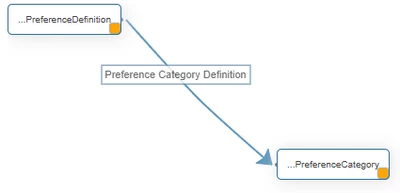
I believe you are seeing duplicate preferences because the two tables selected in the report are not linked to each other, and therefore the results are multiplied.

Try joining them in this way, and you should see only unique values.


Marco_Tosin_0-1760606209995.png


Keep in mind that the Category Name column may have some preferences with sub-values that have a different category name.

See this example.


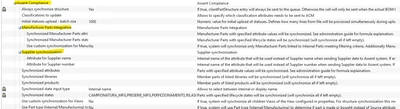
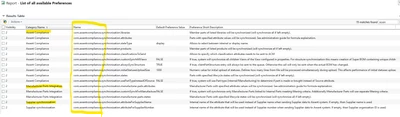
Marco_Tosin_1-1760606459847.pngMarco_Tosin_2-1760606531564.png


On the left are the preferences set in Windchill and on the right are the results of the report.


2 replies

Fadel
23-Emerald I
October 15, 2025

try to filter by context , some preferences exist on Site /org and application contexts .

Buiꓘa
7-Bedrock
October 15, 2025

Hello Fadel,


Thank you for the response.


Could you please guide me on how and where to apply the context filter? I’m not sure what exactly needs to be filtered (Site, Org, or Application context)

Marco Tosin
21-Topaz I
21-Topaz I
October 16, 2025

I believe you are seeing duplicate preferences because the two tables selected in the report are not linked to each other, and therefore the results are multiplied.

Try joining them in this way, and you should see only unique values.


Marco_Tosin_0-1760606209995.png


Keep in mind that the Category Name column may have some preferences with sub-values that have a different category name.

See this example.


Marco_Tosin_1-1760606459847.pngMarco_Tosin_2-1760606531564.png


On the left are the preferences set in Windchill and on the right are the results of the report.


Marco