How to stop Save to Workspace (SOLIDWORKS) from creating objects of subassembly's virtual parts?
Version: Windchill 12.1
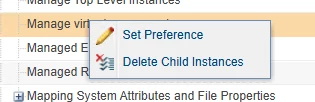
Use Case: Attempting to use Save to Workspace in SolidWorks 2022 SP5. The open assembly has a subassembly which has virtual parts in it. When Saving to Workspace, the virtual parts are loaded into the Workspace as new CAD Document objects. It seems like the Site Preference "Manage virtual components" is set to Yes, however I have verified many times that it is actually set to No. Is there something else going on?
Description:
I'm having an issue in SolidWorks 2022 SP5 where Save to Workspace loads virtual parts into the Workspace as new objects. The Site has the "Manage virtual components" preference set to No. I'm opening an old assembly that has not been migrated into Windchill. Subassemblies have already been loaded into Windchill. I correct file references to point to the Workspace while opening the old assembly, open the file and fix any broken mates, then trigger Save to Workspace. It doesn't matter if the subassembly with virtual parts is nested in layers of subassembly. When Save to Workspace is triggered, all referenced files are overwritten in the Workspace (which might be it's own problem...) and the virtual parts are loaded as newly created. If the subassembly with virtual parts is already in the Workspace, I can remove the new objects to delete them. If the subassembly is opened from Commonspace, then I have to remove the parent subassembly from the Workspace before removing the virtual part objects.
What settings am I missing?