
13-Aquamarine
September 29, 2025
Question

How to update a part master attribute by utilizing loadFromFile utility?

  • September 29, 2025
  • 1 reply
  • 917 views

Version: Windchill 13.0


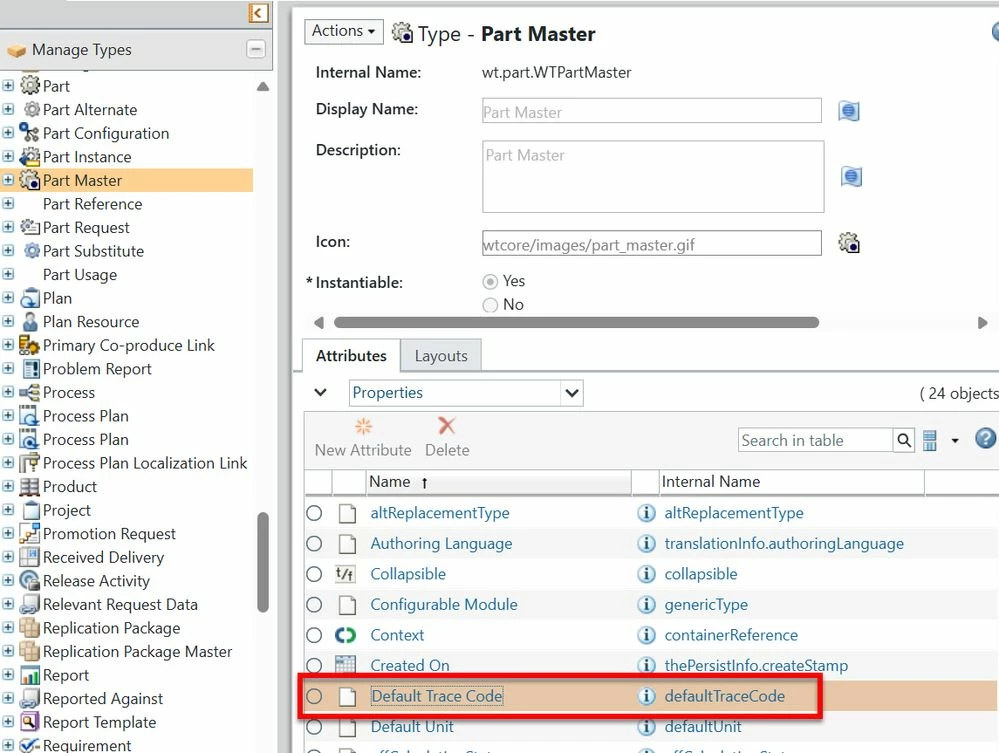
Use Case: I have to do a mass update of the "Default Trace Code" attribut that is located on the Part Master.


Description:

typically use the LodFromFile utility to update attributes on WTParts and WTDocuments. To do this, I first create a CSV file following the format outlined in [Windchill_Home]/loadFiles/csvmapfile.txt. I then convert the CSV file into an XML file using the csv2xml utility.

Currently, I need to update the "Default Trace Code" attribute across multiple parts. However, I haven't found any documentation or guidance on how to create a suitable loader for Part Master attributes.2025-09-29_15-31-05.jpg
1 reply

avillanueva
23-Emerald I
23-Emerald I
September 29, 2025

If not too many, this can be done via edit multiple object in a search results. Even thought this is master attributes, it will check out and check in the item, but you can edit master attribute, I believe. If that works, you can do these in batches very quickly. How many parts do you need to update?

13-Aquamarine
September 30, 2025

Thank you for your reply. The "Edit Common Attributes" function only applies to a single part at a time. In my case, I need to update over 30,000 parts, so this approach isn't feasible.

Fadel
23-Emerald I
September 30, 2025

You can look for the parts in search , select and export parts as Importable spreadsheet  ,set the trace code and import back 

Fadel_1-1759219684248.png


Buiꓘa