How to use the si command
Version: Windchill 13.0
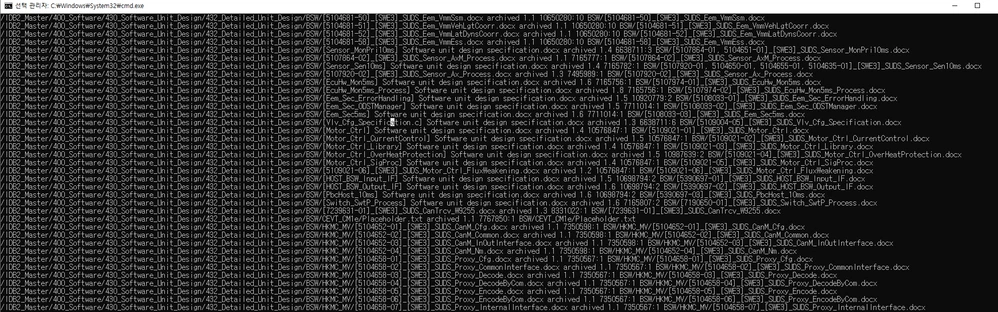
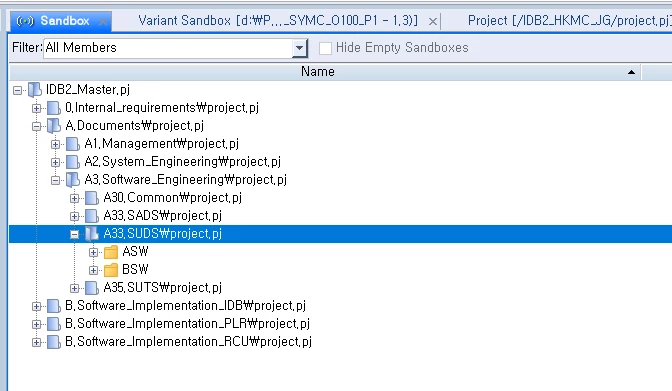
Use Case: si viewproject path : IDB2_Master/400_Software/430_Software_Unit_Design/432_Detailed_Unit_Design/BSW -> use command : si viewproject --hostname=10.110.11.92 --port=7001 --user=hyeokmin.yun --password=p16286 -P "/IDB2_Master/A.Documents/A3.Software_Engineering/A33.SUDS/project.pj" --fields="memberarchive, type, memberrev, cpid, name" -R GUI Actual path : IDB2_Master/A.Documents/A3.Software_Engineering/A33.SUDS
Description:
earching for files uploaded to CM Sandbox using PTC si,
The path of the file seen on the GUI and the path of the file that you check using the SI API are different.
I don't think they should be different when I search for GUI and API,
Is there a reason why they look different from each other?
Also, the name contains the folder path as a result of a search using --fields= name.
I would also like to ask if it is correct that the original folder path is included, or if it is not, should I enter a different value.