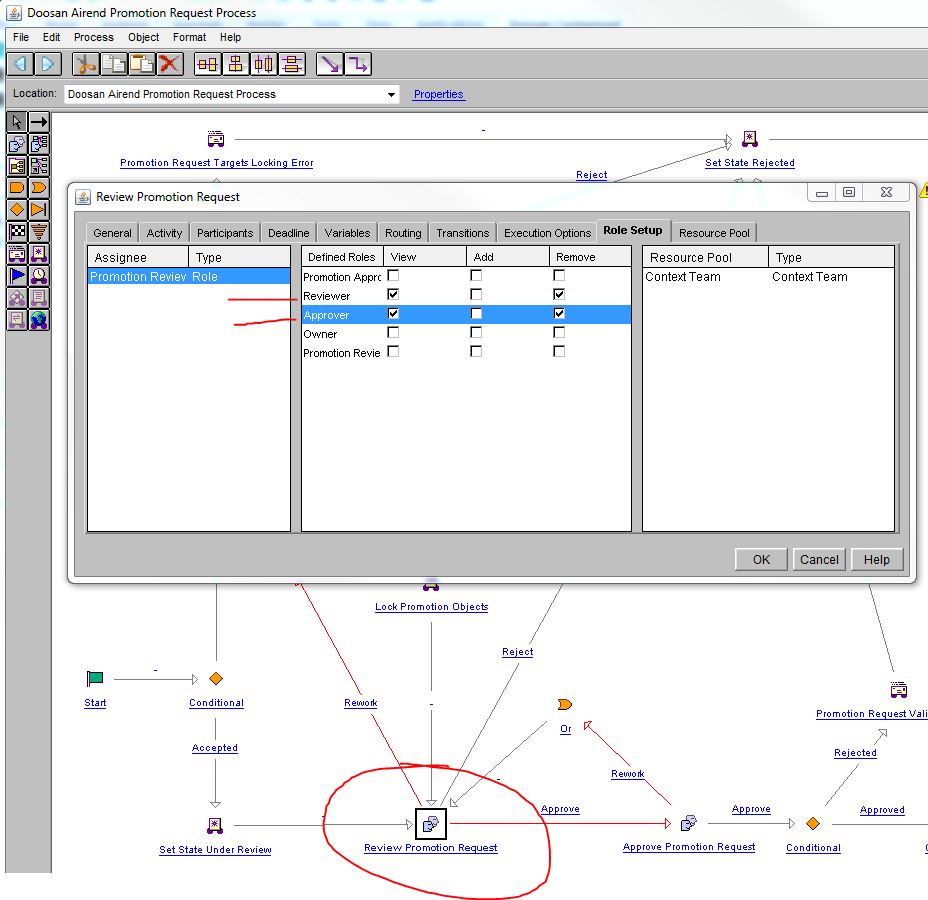
I have a couple questions about Promotion Request.....
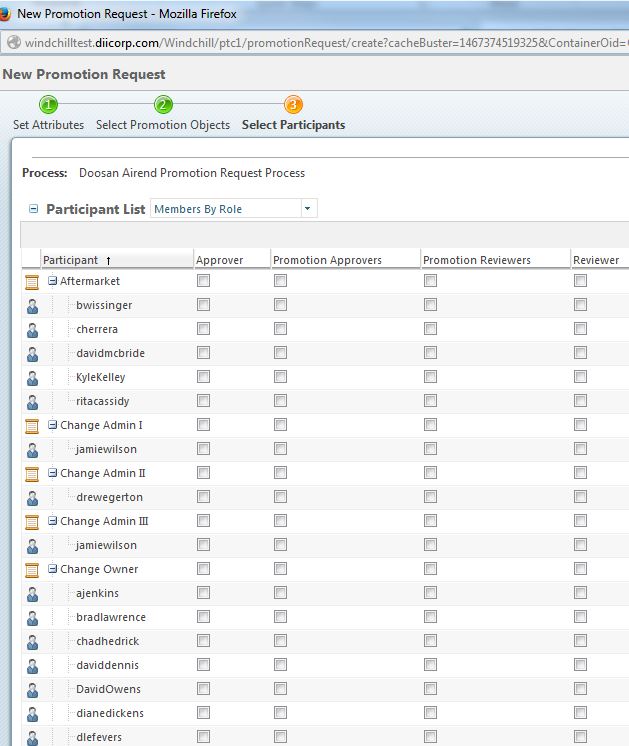
1st question: By default, if a reviewer and/or approver is not selected, the request is routed back to the submitter. We do not want that, so is there anyway to make it mandatory that the boxes must be manually checked before submitting? I know we can enter users under the promotion reviewer and approver roles so they will appear automatically, but we want to manually select the users because they will be different users depending on the request.
2nd question: We have a customized workflow where it goes to reviewer first, the reviewer must accept or rework or reject. If accept, it routes to approver. As you see per below, we have 4 columns, we want only 2 columns per (OOTB). We have removed the Promotion Reviewers and Promoton Approvers roles with the Context Team to see if that would do the trick, but no luck.................Any suggestion on how to remove Approver and Reviewer columns?
Within the workflow, I can click remove the Approver and Reviewer, but it always comes back.