1-Visitor
November 24, 2014
Solved

In Windchill 10.2, Applets are not opening

  • November 24, 2014
  • 3 replies
  • 5307 views

If i try to open utilities like "Policy Administration"`or "Team Administration", a new window opens but it remains blank. I have made all the possible settings that i could see on;ine to help me resolve this issue but nothing seems to be working. These are the set of settings that i have done

1. In IE11, i have added the site as the "Trusted Site".

2. In IE11, i have enabled options "Download signed ActuveX control" and "Download unsigned ActiveX control"

3. I have cleared the java and IE cache.

But till i not able to make any progress with this issue.

Any help on this ?????
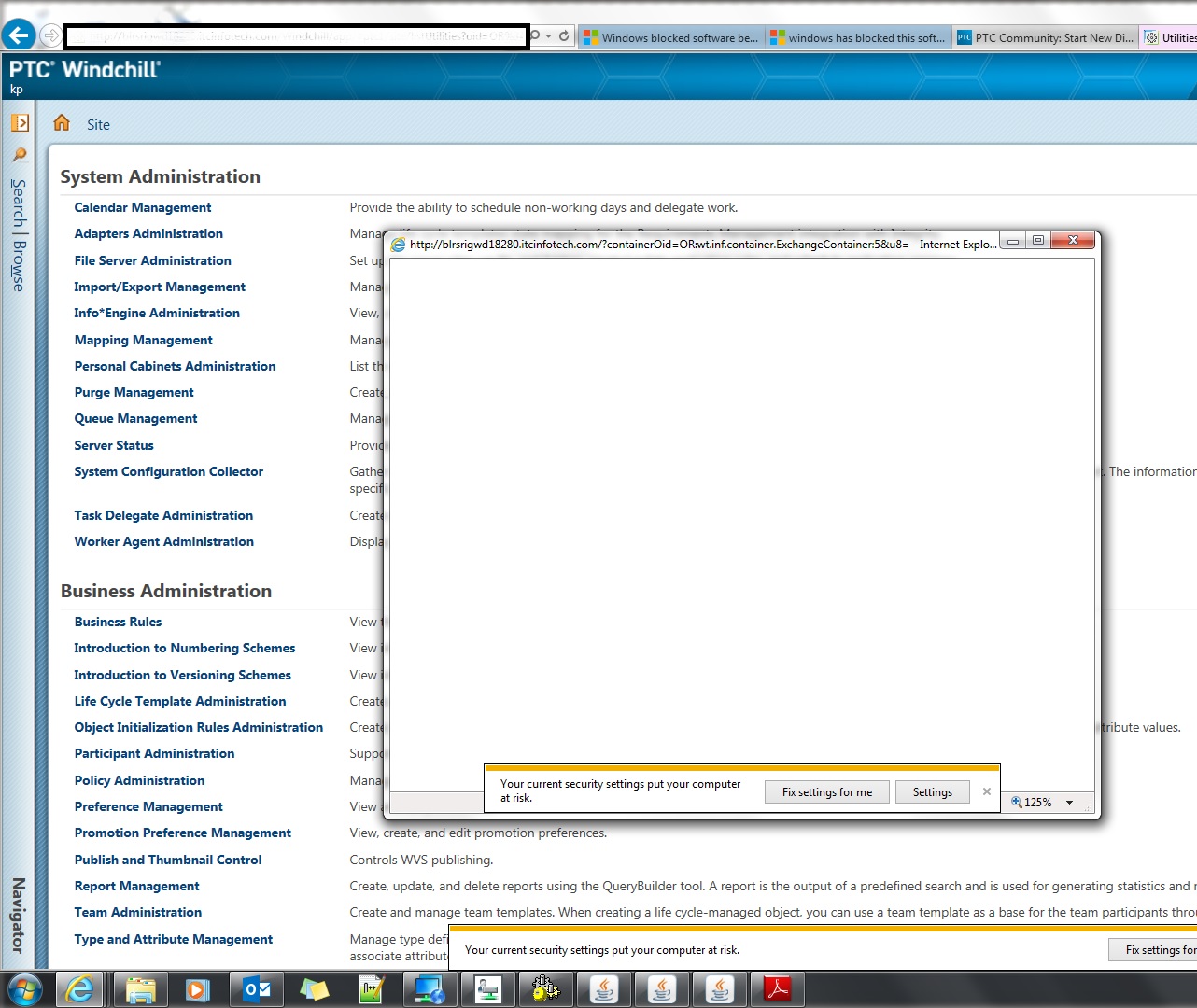
WindChillBlankScreen.jpg

Best answer by mrane

I too was running into a similar issue. Following are the checkpoints that you need to ensure(in addition to the ones mentioned by Keir)

  • Use software matrices to check compatibility.
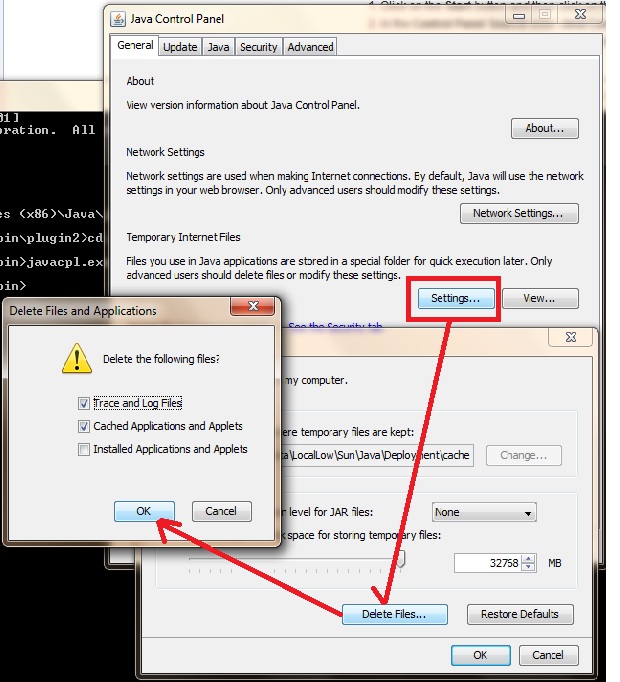
  • Clear java cash from control panel
    • launch the control panel as : C:\Program Files (x86)\Java\jre7\bin>javacpl.exe
    • JavaCache.jpg
  • Clear tomcat cache from Windchill :
    • Goto <WT_HOME>\tomcat\instances
    • Delete all the folders within instances.
  • Try to update jre to jre7update71.

Doing these resolved the issue at my end.

-Malavika

3 replies

1-Visitor
November 24, 2014
  • Check on your Windchill version and Build Code for compatibility with IE11.
  • Check Java version compatibility
  • Use Mozilla Firefox. (I tend to use Firefox for my Admin work even though it asks for a log in with annoying frequency)
mrane1-VisitorAnswer
1-Visitor
November 25, 2014

I too was running into a similar issue. Following are the checkpoints that you need to ensure(in addition to the ones mentioned by Keir)

  • Use software matrices to check compatibility.
  • Clear java cash from control panel
    • launch the control panel as : C:\Program Files (x86)\Java\jre7\bin>javacpl.exe
    • JavaCache.jpg
  • Clear tomcat cache from Windchill :
    • Goto <WT_HOME>\tomcat\instances
    • Delete all the folders within instances.
  • Try to update jre to jre7update71.

Doing these resolved the issue at my end.

-Malavika

1-Visitor
July 7, 2016

Install Java JRE version 32bit.


kpunjabi1-VisitorAuthor
1-Visitor
December 1, 2014

Thanks for all your inputs.

I tried all the above mentioned steps, but the thing that made difference was updating my jre to version 7u67

Regards,

Karan Punjabi

1-Visitor
December 10, 2015

     I had a same problem. I've resolved this error by adding my PDM website (i.e., www.pdmtest.invenia.com)

     to the exception list in the Security tab of the Java Control Panel. The reference image is below. 

     Well, I think that a recent version of Java has a strong security policy as default.


sdfasda.jpg