10-Marble
July 10, 2023
Solved

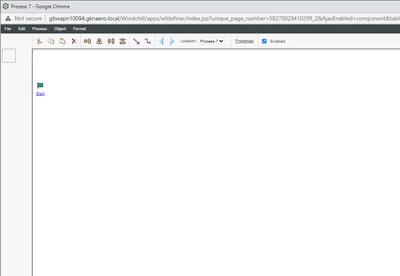
In windchill 12.1 workflow editor is not showing any robots

  • July 10, 2023
  • 3 replies
  • 1176 views

Windchill 12.1 workflow editor does not show any robots:
Manav_Pampher_0-1688975012136.png


Best answer by SWeiler_9940261

I encountered this error as well. It was client based as I was able to use the workflow editor from another PC and it worked fine. I would recommend trying another browser, or try clearing the cache of the browser. 

3 replies

HelesicPetr
22-Sapphire II
July 10, 2023

Hi @Manav_Pampher 

Is the system OOTB installed or is it a upgraded one?


Try to use ctrl+F5 or try to use different browser, or try to delete temporary files of the browser


My system do not has problem

Wch 12.1.2.0

browser: Chrome

HelesicPetr_0-1688978694396.png


PetrH

avillanueva
23-Emerald I
July 10, 2023

I would check access rights on windchill codebase files, especially images. Its possible the apache browser is unable to serve them since they are set wrong. 

16-Pearl
July 10, 2023

I encountered this error as well. It was client based as I was able to use the workflow editor from another PC and it worked fine. I would recommend trying another browser, or try clearing the cache of the browser.
